The Author

Qualified sound engineer, beatmaker, DJ and creator of Jeffro Music.

I trained as a sound engineer at Confetti Studios in Nottingham, but while I learned my way around professional recording equipment, my real passion was always making beats, DJing and experimenting with sound. I was more interested in creating something fresh than spending my days behind a massive mixing desk.

I’ve been producing music since the days when Cubase SX was the software everyone was talking about. From early VST instruments to today’s powerful DAWs and plugins, I’ve watched music production evolve while keeping my hands firmly in the creative side of things.

I created Jeffro Music to share that experience through honest software reviews, free music production tools, practical guides and sound design tips. No unnecessary technical jargon or industry hype, just useful information from someone who’s spent years making music and exploring the tools behind it.

Ardour

Ardour

Ardour By the Ardour project Ardour Ardour Audio and MIDI Workstation   Ardour is an open-source digital audio workstation for recording, arranging and mixing audio and MIDI on Linux, Windows and macOS. It combines multitrack recording, non-destructive editing, software instruments and flexible routing in a standalone production environment. Its strength is keeping production decisions reversible. Alternative takes can remain available while you build an edit, and effects can stay attached to individual phrases rather than processing an entire track. That gives you room to change the arrangement without rebuilding every decision around it. System Requirements: 64bit Linux Windows MacOs Architecture: 64-bit standalone application. Linux: Compatible x86-64 or ARM64 system. Windows:
Read More »
LMMS

LMMS

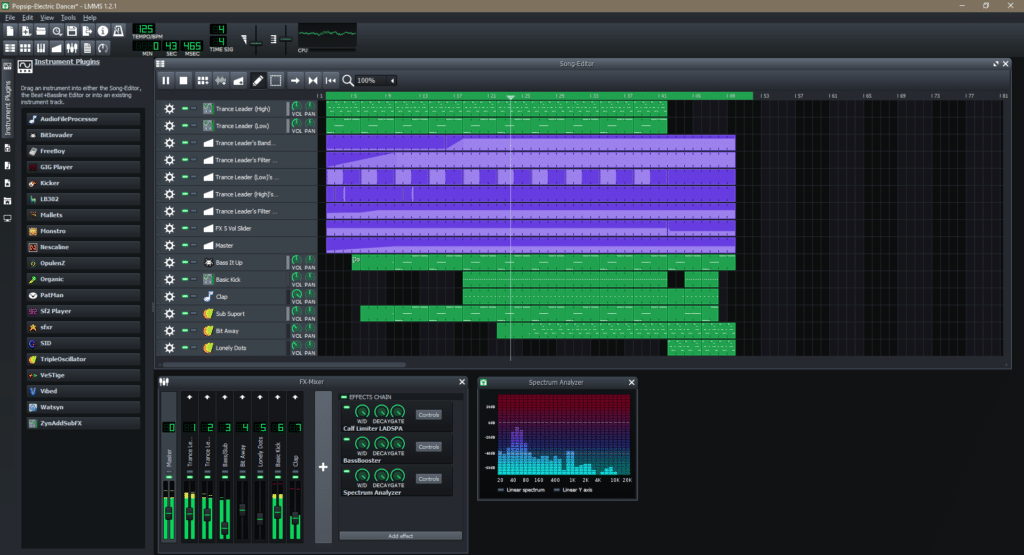
LMMS By LMMS project LMMS Music Production Workstation   LMMS is a free, open-source digital audio workstation for building beats, programming melodies, shaping sounds and arranging complete tracks on Linux, Windows and macOS. It’s built-in instruments, samples, effects and automation tools give producers a starting point without needing a separate plugin collection. Its workflow separates the repeating parts of a production from the arrangement. Build the rhythm, develop the musical phrases, then decide where those elements enter, change and drop away in the Song Editor.  The emphasis is on composing inside the computer rather than recording performances through microphones. System Requirements: 64bit Linux Windows MacOs Processor: A 2 GHz quad-core

Read More »
Qtractor

Qtractor

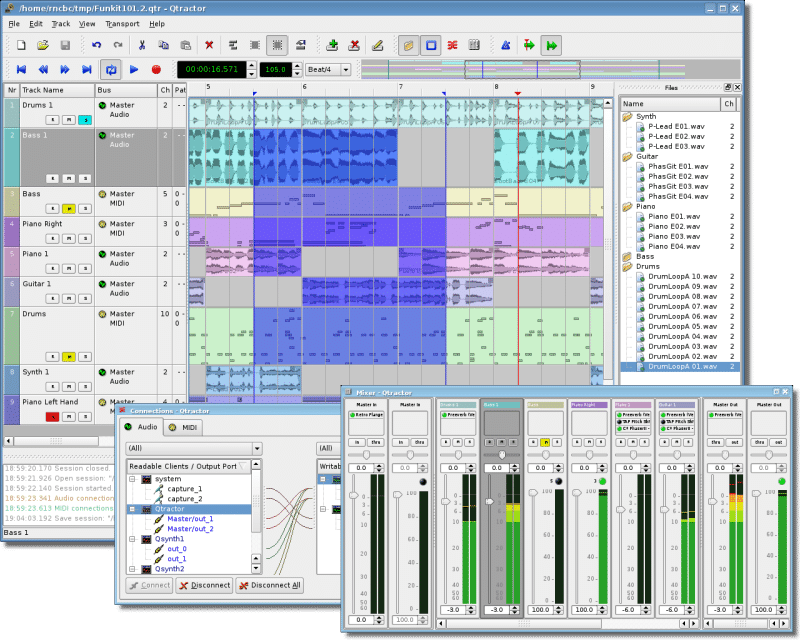
Qtractor By Rui Nuno Capela — rncbc Qtractor Audio and MIDI Workstation   Qtractor is a free, open-source DAW built for Linux, combining multitrack recording, MIDI sequencing, plugin hosting and mixing in a traditional timeline-based workspace. It brings recorded performances and programmed instruments into the same session without imposing a fixed track limit. Its appeal is the connection between those workflows. Start with an imported drum recording, programme a bass part, then record a keyboard performance without turning everything into audio prematurely. MIDI can drive software instruments or external hardware, while the Connections window manages the paths between them. System Requirements: 64bit Linux Audio: JACK, or PipeWire with its JACK

Read More »
MusE

MusE

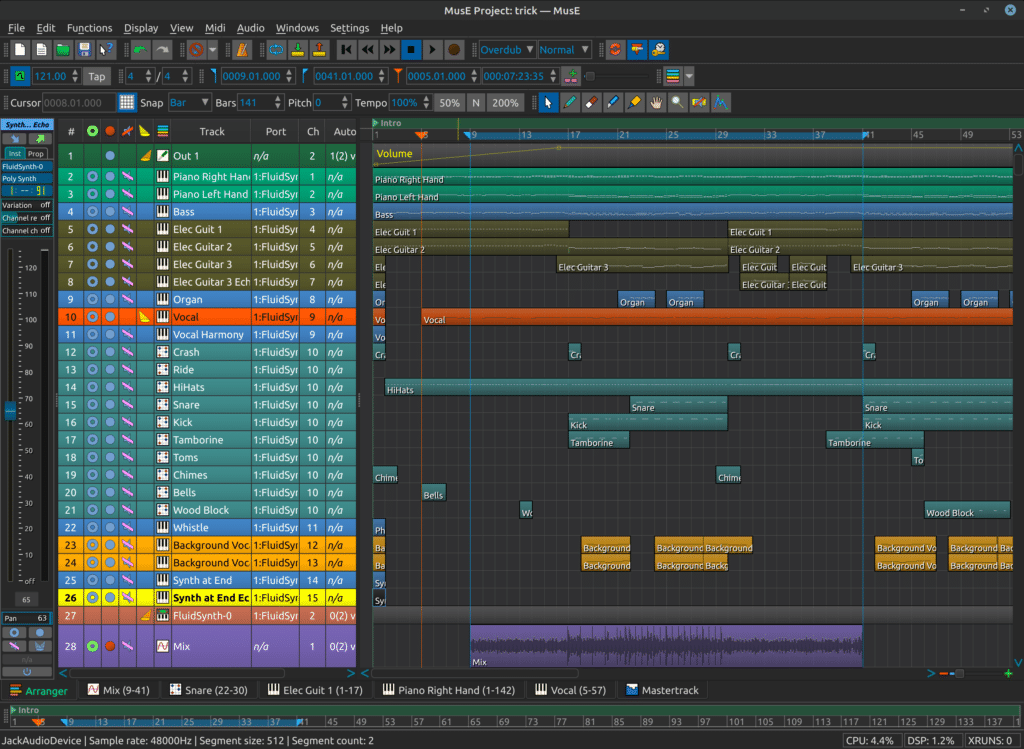
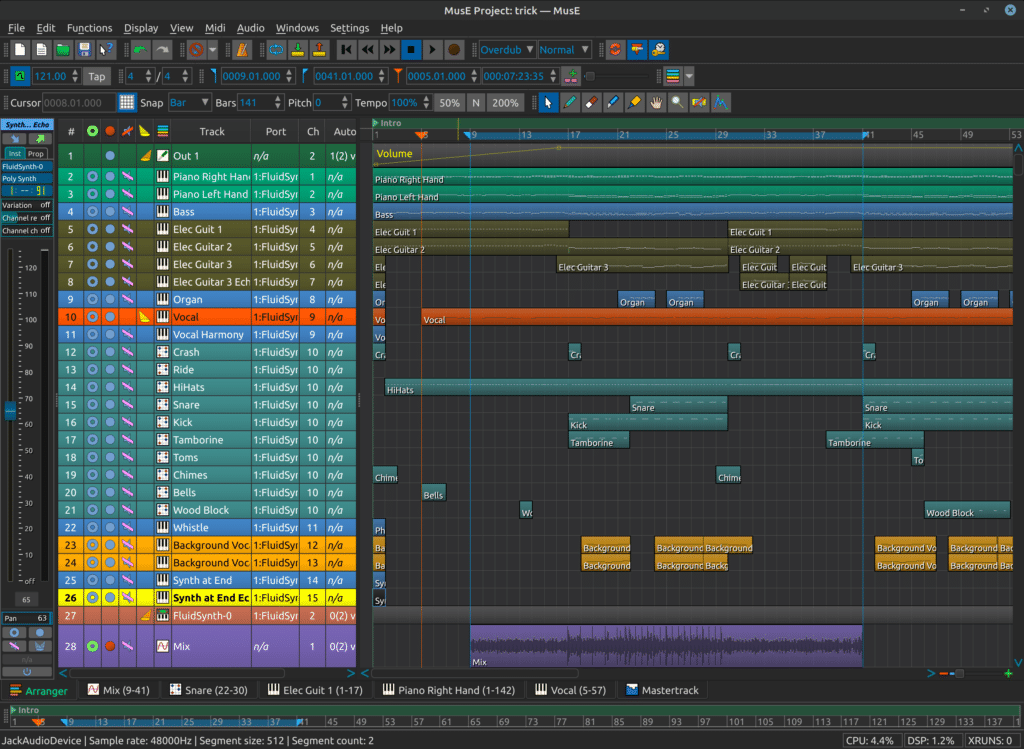
MusE By the MusE development team MusE Audio and MIDI Workstation   MusE is a free, open-source DAW for Linux that combines detailed MIDI sequencing with multitrack audio recording, plugin processing and automation. Its tools are particularly relevant to productions involving hardware synthesisers, software instruments and recorded performances within the same arrangement. MusE separates the musical performance from the device playing it. MIDI tracks send notes and controllers to an assigned instrument, while audio tracks handle recording and processing. That makes it possible to retain an editable synth performance alongside its recorded output rather than choosing between MIDI flexibility and audio mixing. System Requirements: 64bit Linux Architecture: The official AppImage

Read More »
Rosegarden

Rosegarden

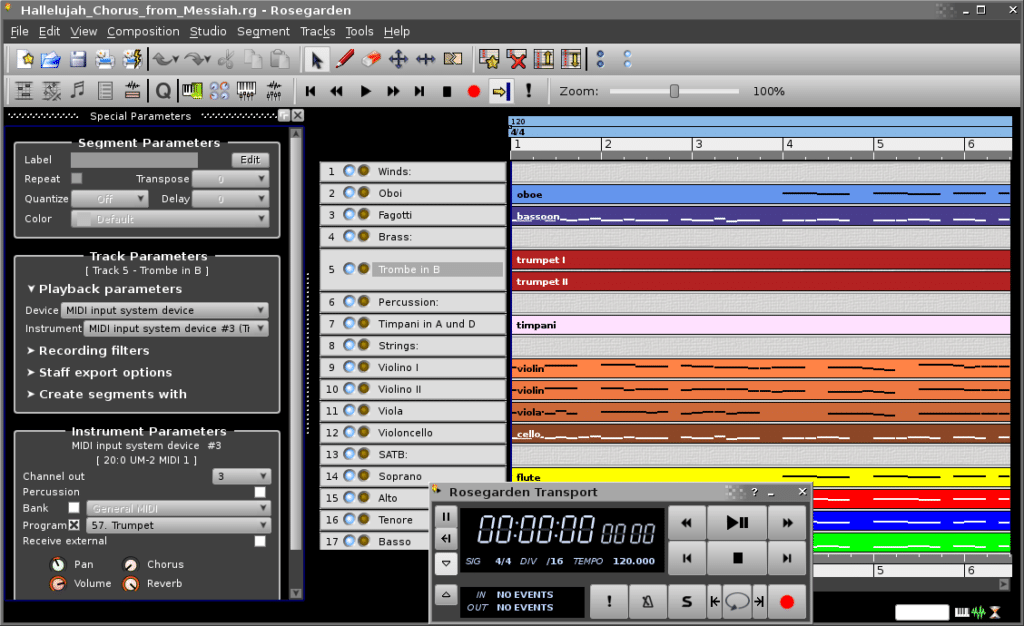
Rosegarden By the Rosegarden development team Rosegarden Audio and MIDI Workstation   Rosegarden is a free, open-source DAW for Linux that combines MIDI sequencing, musical notation and audio recording. It is particularly useful when a production needs both an editable performance and readable parts for other musicians, rather than an audio mix alone. Its notation and piano-roll-style editors work with the same musical material. A keyboard phrase can remain editable as MIDI while being prepared as a score, keeping composition and performance within one project instead of treating notation as a separate final step. System Requirements: 64bit Linux Version reference: Rosegarden 26.06 was released on 3 June 2026. Distribution packages

Read More »
zrythm 2

Zrythm

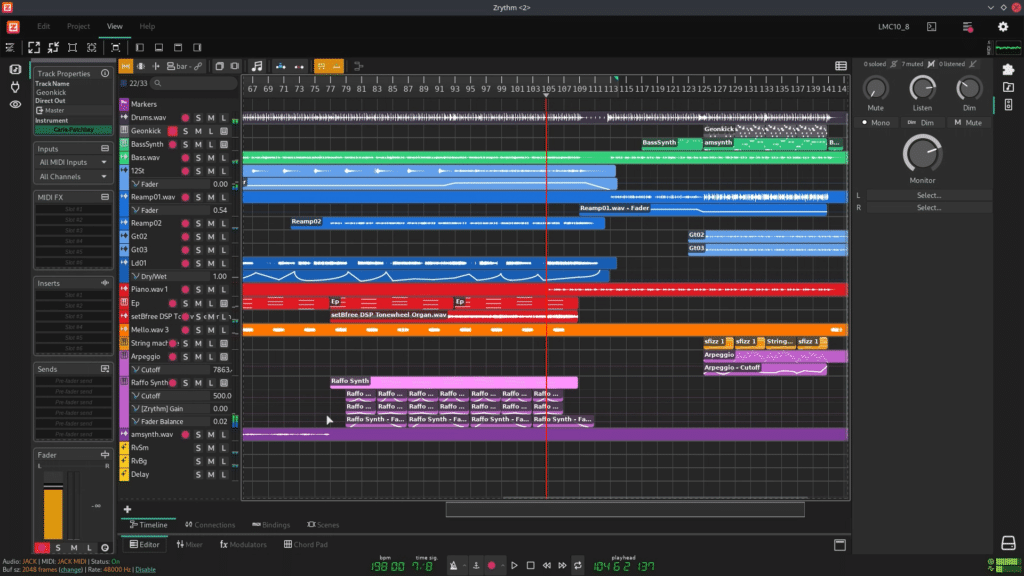
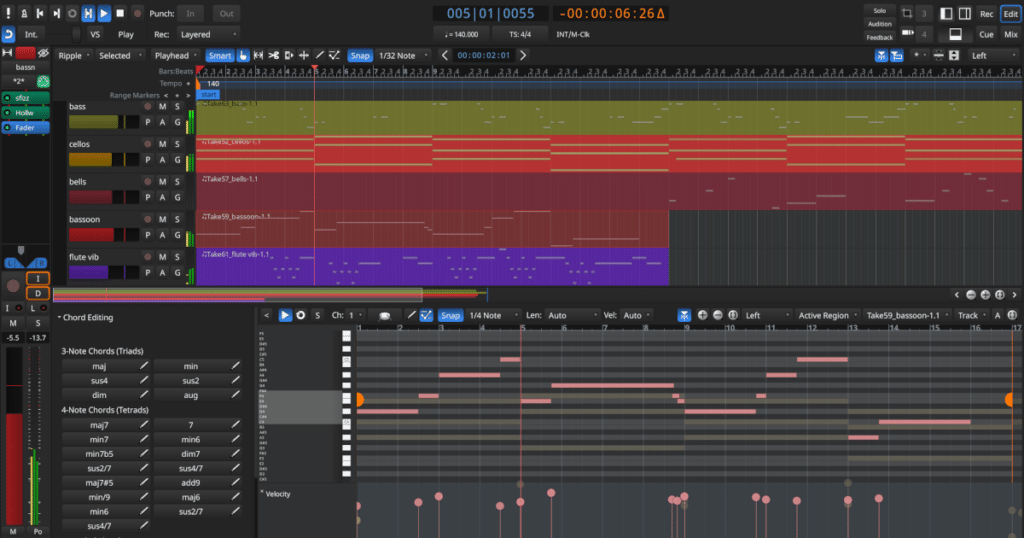
Zrythm By Zrythm development team Zrythm Audio and MIDI Workstation   Zrythm is an open-source DAW for Linux, Windows and macOS that combines audio recording, MIDI composition, chord assistance and detailed automation. Its tools support a creative workflow where harmony, sound design and arrangement develop together rather than treating each as a separate stage. The chord pad and piano roll are particularly useful when developing an idea beyond its first progression. Audition different voicings, identify notes belonging to the harmony and build the surrounding parts while keeping their musical relationships visible. For producers who prefer programming music rather than relying entirely on recorded performances, Zrythm offers plenty of interesting possibilities.

Read More »
Free DAWs for Windows & Mac

Waveform Free

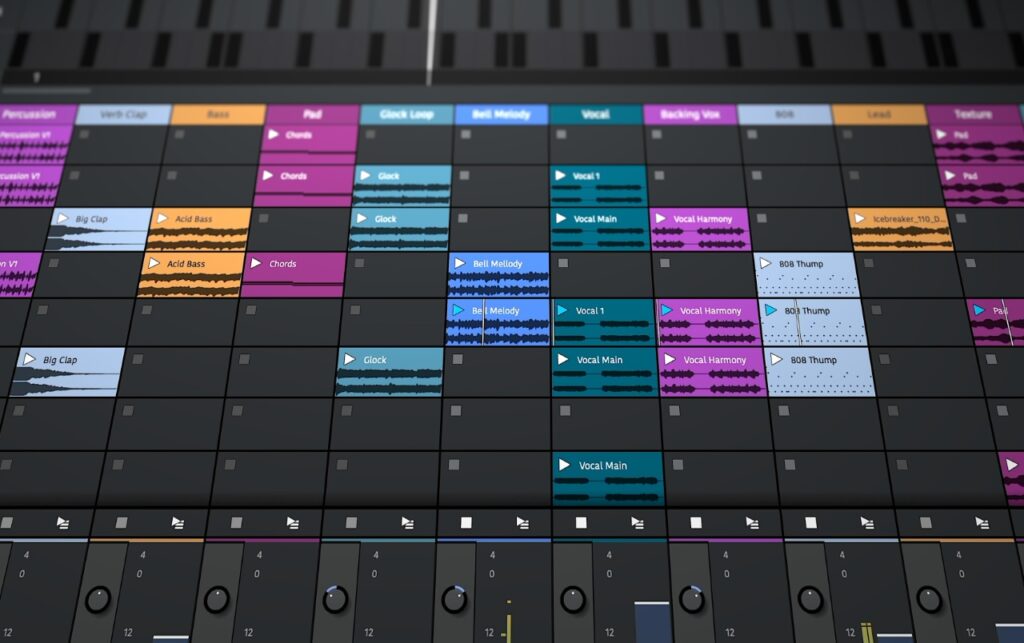
Waveform Free By Tracktion Waveform Audio and MIDI Workstation   Waveform Free is a digital audio workstation for recording, programming and mixing music without a fixed track-count limit. It combines multitrack audio recording, MIDI sequencing, built-in synthesis, sampling and third-party plugin hosting, allowing recorded performances and programmed instruments to share the same arrangement. Its inline mixer places processing directly beside each track rather than relying on a separate mixing console. Even the Volume & Pan control and level meter behave as movable plugins, allowing you to position gain adjustments and metering at different points in the signal chain. Waveform Free 14 also introduces a redesigned browser, refreshed audio effects and

Read More »
Best Free Linux DAWs

Free DAWs for Windows & Mac

Free DAWs for Windows & Mac 10 Free Digital Audio Workstations Worth Exploring I’ve been using Cubase since I was 16, so I know how attached you can become to a DAW once you’ve learned your way around it. Even when friends were telling me to get a Mac and switch to Logic Pro, I stuck with what worked for me. That’s why I don’t believe there’s one digital audio workstation that suits absolutely everybody. Some producers want a traditional recording environment with a proper mixing console. Others want a fast piano roll, drum sequencer or something they can use to knock out a beat without spending half an hour

Read More »