Ardour is where I would start for recording and mixing. LMMS deserves a look for programmed beats and synthesis. Qtractor is a strong alternative for combining audio and MIDI, while Rosegarden has a clearer purpose for anyone working with notation. Those recommendations follow the applications’ documented strengths, not a claim that one DAW suits every producer.
The more interesting question is what happens after the download.
Can you record the part you have in mind? Hear it through the right effects? Reopen the project with its sounds intact? Send something usable to another producer?
As a producer, those are the questions I would put ahead of interface screenshots or an impressive list of plugin formats.
This guide compares the free Linux DAWs worth investigating, explains their limitations and looks at the parts of a production setup that software roundups often leave unresolved.
| DAW | My reason for shortlisting it | Direct audio recording | The important qualification |
| Ardour | Recording, editing, routing and mixing | Yes | Free source code and distribution packages; unrestricted official downloads use a payment model. |
| LMMS | Beats, synthesis and pattern-based writing | No, in stable 1.2.2 | Imported audio is supported, but that is not the same as recording a microphone. |
| Qtractor | Audio/MIDI production with broad native plugin support | Yes | Uses JACK for audio, which can operate through PipeWire’s compatibility layer. |
| MusE | Detailed MIDI editing and external instruments | Yes | Its specific MIDI tools are a stronger reason to choose it than its appearance. |
| Rosegarden | Composition, notation and preparing scores | Yes | Audio recording is available, but notation is its clearest distinction. |
| Zrythm | Chord-assisted writing and automation | Yes | The free Basic v1.0.0 installer is limited to 25 tracks. |
A free download only answers the cost question. I would judge the production setup against four practical checks:
These are proposed evaluation criteria, not benchmark results.
They also explain why recommendations change. A beatmaker/producer using VSTs might prioritise capture and arrangement. A guitarist playing through an amp simulator has an immediate monitoring requirement. A producer collaborating across operating systems needs to think about reopening and delivery from the beginning.
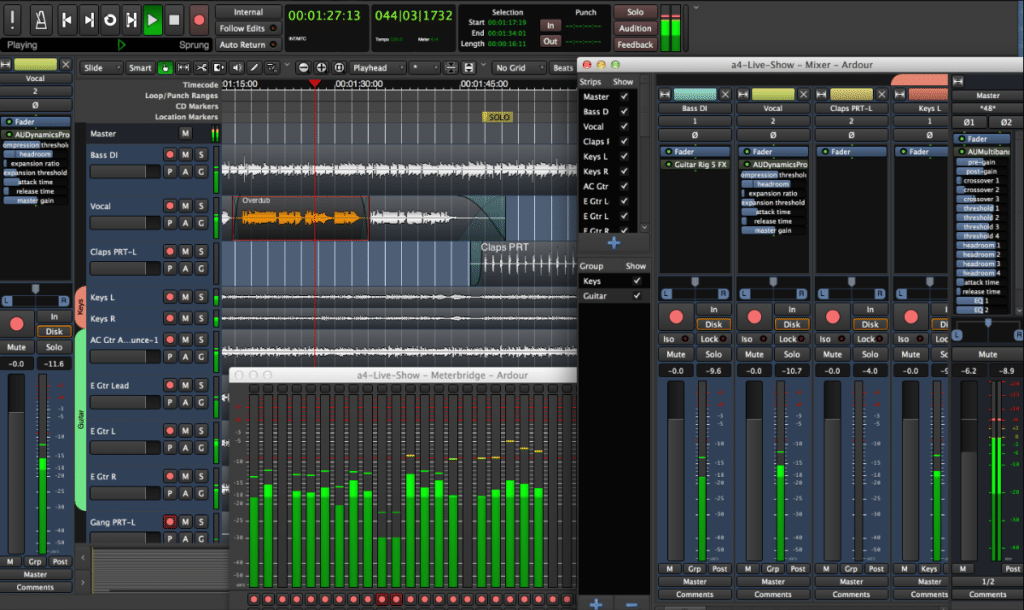
Ardour supports multitrack audio and MIDI recording, editing, automation and flexible routing. There is no arbitrary free-edition track allowance: session size is constrained by the system and workload rather than a basic-versus-premium track cap.
That is a strong foundation for sessions that grow.
Imagine starting with a vocal and guitar, then adding layered backing vocals, percussion and several instrument parts. I would rather evaluate whether the recording and routing remain manageable than choose an application because its first empty project looks simpler.
Ardour’s composition tools deserve more attention than older comparisons give them.
Ardour 9.0 added recording directly into cue slots, cue editing and separate piano-roll windows. That makes clip-based writing a genuine part of the discussion rather than an automatic reason to dismiss Ardour.
A useful evaluation project would be to record a short phrase into a cue, loop it, add a MIDI part and develop the arrangement. That tests the workflow you need instead of relying on an old “Ardour is for recording, not electronic music” distinction.
Yes, but the route matters.
Its source code is free, and Linux distributions can provide packaged versions. Ardour’s own unrestricted, ready-to-run downloads are funded through payments, including one-time purchases and subscriptions.
An ongoing subscription is not required to keep Ardour working.
The freely downloadable official demo is different: it periodically goes silent after ten minutes. That limitation should not be confused with the behaviour of an unrestricted distribution package. My recommendation is straightforward: investigate Ardour first when recording and editing performances are central to your music. Then test its current MIDI and cue tools rather than assuming those parts are secondary. If you want to give it a try check the link below fams
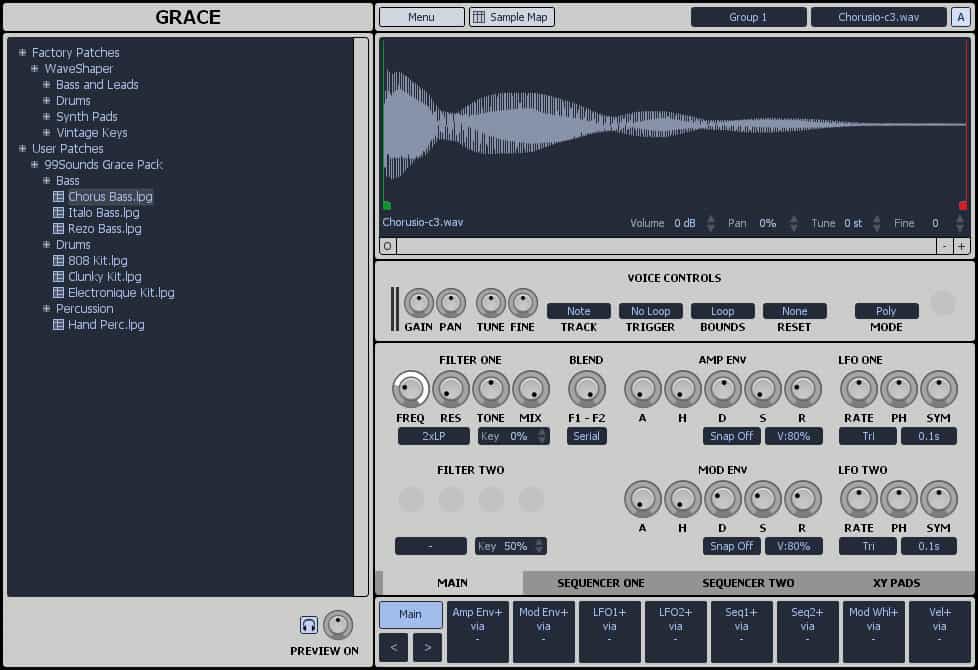
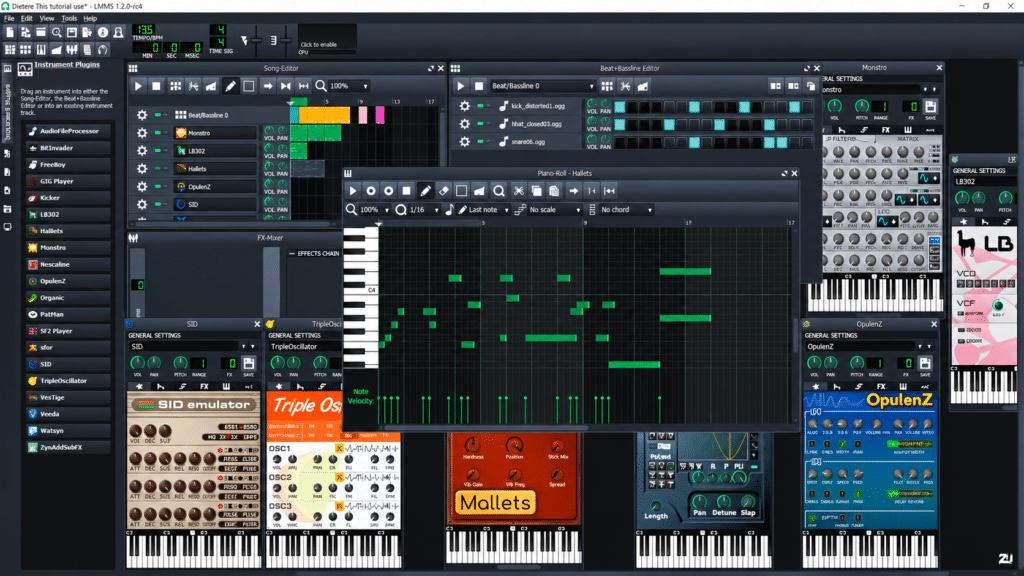
LMMS is designed around creating melodies and beats, sequencing patterns, using software instruments and arranging samples. Its included tools cover synthesis, piano-roll editing, automation and effects. That is a different starting point from a recording application waiting for a microphone input.
Stable LMMS 1.2.2 does not directly record audio. Its manual distinguishes sample tracks from a conventional recording workflow: you can import recorded material, but recording and detailed editing of that audio happen elsewhere. For a track built from drums, synthesisers and samples, that may be acceptable.
For a vocalist recording multiple takes over a programmed backing, it creates a handover between applications. That is not automatically a bad workflow, but it should be an intentional choice. Some youtube producers described using LMMS for around ten years with its stock instruments, plugins and free samples, particularly for MIDI sequencing and electronic music. That is an attributed example of the workflow LMMS can support, not evidence that it suits every production.
LMMS announced 1.3.0-alpha.2 on 6 September 2026, including native Linux VST support and additional plugins. It remains a development release rather than the completed 1.3 stable version.
That matters when following plugin tutorials. Advice written for stable 1.2.2 may not describe the alpha’s capabilities. Conversely, native Linux VST support should not be mistaken for VST3 support: the manual still states that VST3 is unsupported.
The download page also warns that projects saved in the alpha cannot be reopened in earlier versions and may encounter compatibility problems with later changes. Experiment on copies, not your only project file.
My decision: you can use LMMS for making a simple beat or a song. For regular microphone recording, maybe try a recording-focused DAW before jumping into using LMMS full time.
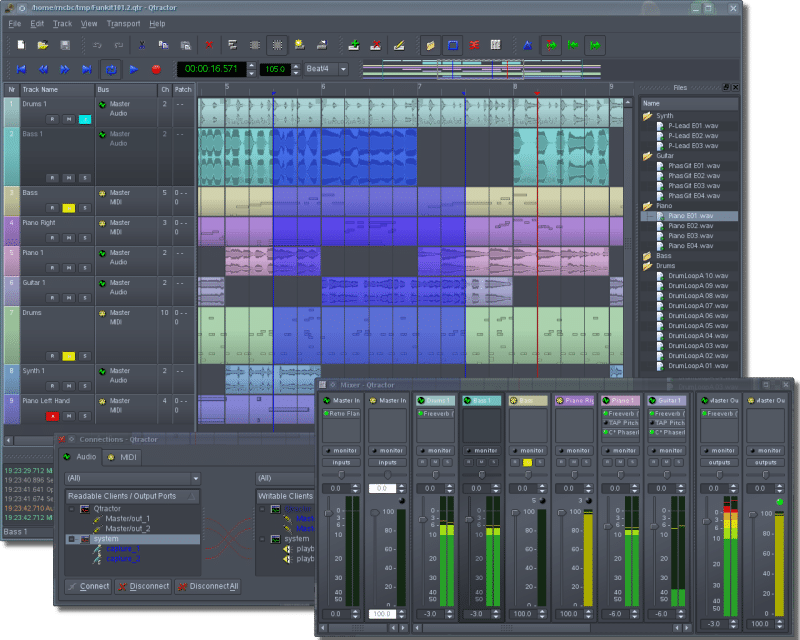
Qtractor combines audio and MIDI recording, automation, a mixer and connection management. Its native plugin support includes VST2, VST3, LV2 and CLAP, alongside LADSPA and DSSI. That makes it relevant when the instruments and effects you need are already available for Linux.
However, plugin formats are only part of the evaluation. The way you create and revise musical ideas matters just as much.
Test how repeated MIDI parts behave
Qtractor’s manual describes linked MIDI copies: editing a copied clip within the same track can also change its linked counterpart. The Unlink command separates them.
Consider an eight-bar bass pattern repeated throughout a track. Linked editing is useful when changing the underlying part everywhere. It is not what you need when adding a variation only before the chorus.
That is the kind of small operation I would test during a trial: repeat a phrase, change one occurrence and confirm that the arrangement behaves as intended.
Qtractor uses JACK for audio, but PipeWire can provide compatible JACK client libraries. A suitably configured desktop can therefore run a JACK application through PipeWire without a separate traditional JACK server.
My decision: Qtractor belongs on the shortlist for combined audio/MIDI production. Evaluate its editing conventions and your required plugins, rather than treating its Linux-focused design as either an automatic advantage or an obstacle.
MusE’s case becomes clearer when you look beyond “supports MIDI”.
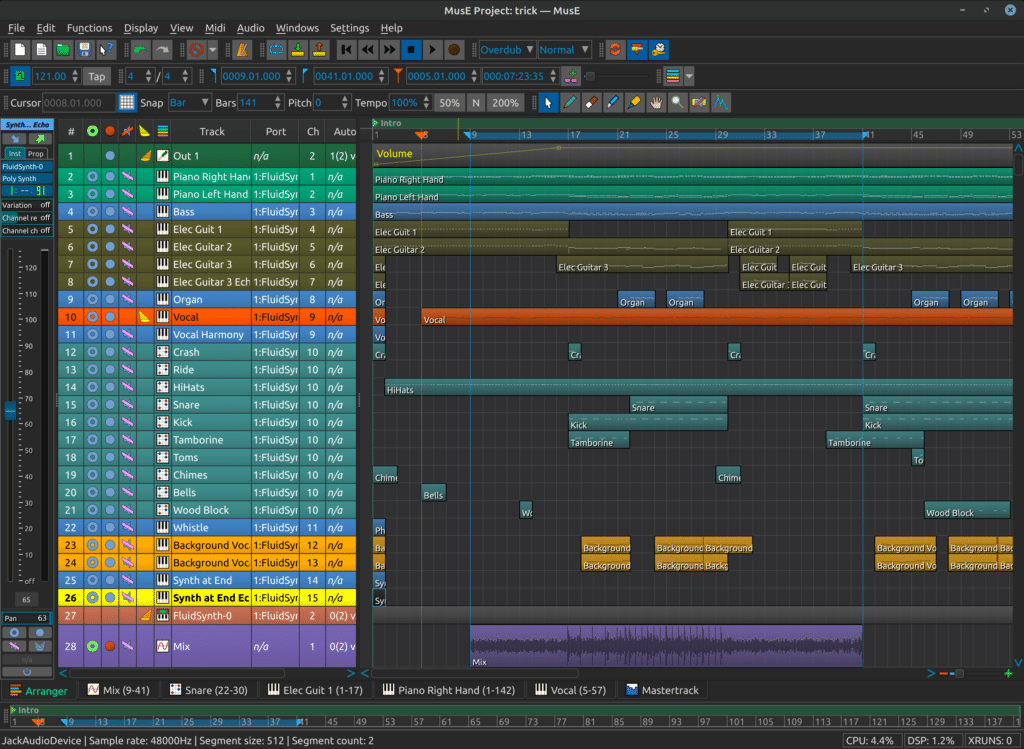
Its tools include a MIDI transformer, input filtering, drum editing, an event-list view, multichannel synth support and external instrument support. It also provides audio recording, automation and internal instruments such as FluidSynth and the Deicsonze FM synthesiser.
Those tools suggest concrete tests. A controller sending unwanted messages creates a filtering problem. Editing precise note and controller data can call for an event list rather than a piano roll. Coordinating several parts on a multichannel instrument creates different requirements from recording one stereo output.
I would choose a few operations that your equipment regularly demands and attempt those first.
There is little value in selecting a “MIDI-focused DAW” without identifying what your MIDI setup needs it to do.
My decision: investigate MusE when detailed MIDI control and external instruments are central to what you need to do.
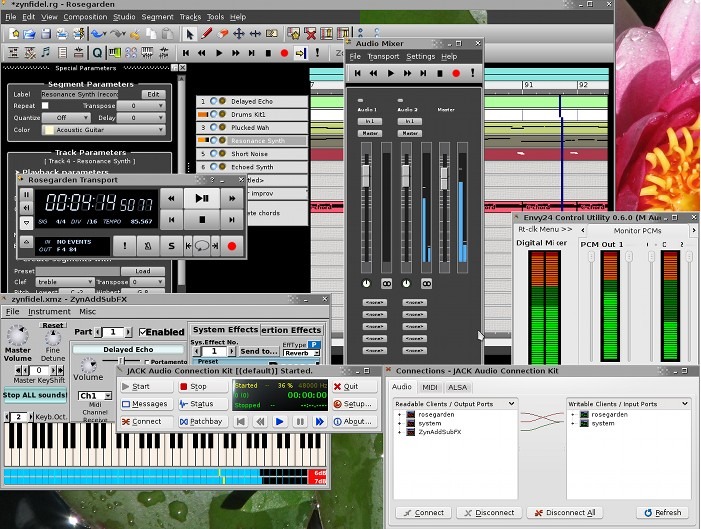
Rosegarden combines sequencing with notation and can use LilyPond to produce typeset scores. Its notation tools retain information about musical structure that ordinary MIDI does not fully represent.
That matters when your deliverable is not just an audio file.
A readable score does not require a rigid performance
One useful detail is Rosegarden’s notation quantisation: the project describes tidying the displayed notation without losing the original performance timings.
For a composer, that is more meaningful than a generic “includes a score editor” tick. A part can need clearer notation for musicians without needing its recorded timing flattened into something mechanical.
Rosegarden’s manual documents recording, arranging and splitting audio segments, but not waveform editing within the application. It is therefore worth separating “can record audio” from “provides the audio-editing environment I need”. The project released Rosegarden 26.06 in June 2026, so its long history should not be mistaken for abandonment.
My decision: choose Rosegarden because notation and composition solve a real problem in your work, not simply because you need to enter MIDI notes.
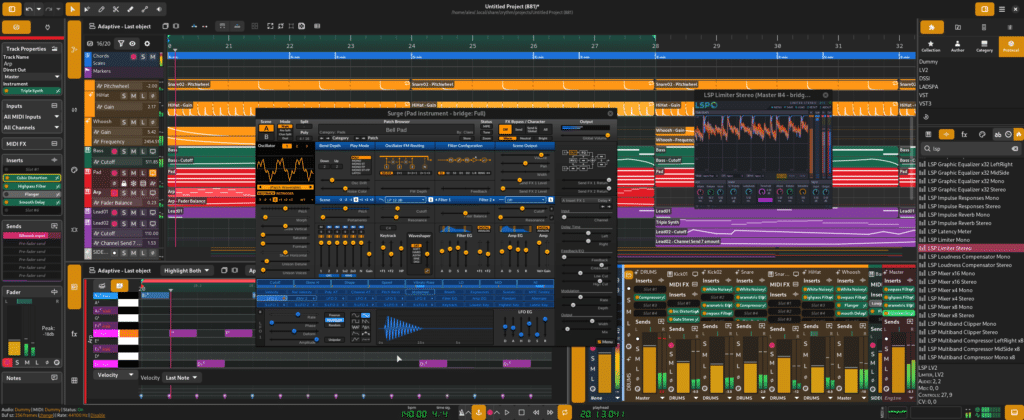
Zrythm’s published features include chord audition pads, chord editing, a recordable chord track and automation tools. These are specific reasons to investigate it for harmony-led composition. The meaningful test is not whether the interface looks modern. It is whether the chord tools help you develop a progression, vary its voicing and build the surrounding arrangement.
The official download page lists a free Basic v1.0.0 installer with up to 25 tracks. Paid installer options remove that limit, while source code is offered separately. A v2 Alpha is also advertised for testing.
Here is an illustrative track allocation:
Eight drum tracks + one bass + four guitars + eight vocal parts + four keyboard parts = 25 tracks.
That is not a measured project or a statement about how Zrythm counts every special track type. It simply shows how an arrangement can reach a track allowance before it looks particularly extravagant.
My decision: evaluate the chord tools against a real writing task, then check that the exact installer’s restrictions fit the likely arrangement. If they dont, which i feel they wont, maybe consider something else. I dont know if I feel its worth the investment for pro features and more tracks.
A DAW supporting VST3 does not mean it can directly load a Windows VST3 plugin. The host’s supported format, the plugin’s operating-system build and its processor architecture are separate compatibility questions. Native Linux plugins exist: Surge XT, for example, provides Linux builds in formats including VST3, CLAP and LV2. I would begin with the actual sounds a project needs, not a list of format abbreviations.
Question | Why it matters |
Is there a native Linux build? | This establishes whether a compatibility layer is needed. |
Can the required host load that build and format? | A Linux plugin is not automatically supported by every Linux DAW. |
Does the complete workflow function? | Loading the interface is only the beginning; presets, automation, saving and reopening also matter. |
Yabridge uses Wine to run Windows VST2, VST3 and CLAP plugins in compatible Linux hosts. Its documentation lists tested combinations and known issues rather than guaranteeing universal compatibility.
There is also an installation consequence: yabridge’s documentation says it does not work with Flatpak-packaged DAWs and recommends native packages instead. The easiest-looking installation route may therefore conflict with the plugin setup you intend to use.
For an essential plugin, test a preset, a MIDI performance, automation, project saving, reopening and export. Include any activation or content manager the plugin requires.
“The window opened” is not my definition of a working production setup.
A plugin can load correctly and still have nothing to play.
Ardour’s ACE Fluid Synth requires a separately supplied SoundFont. Its official builds also include a General MIDI instrument, so the precise installation matters when comparing what is ready to use.
Before installing extra effects to troubleshoot silence, check the simpler chain:
MIDI reaches the instrument → the instrument has sound data → its audio reaches an output.
When choosing a DAW for live recording, and you see this on the developer website “the DAW supports audio” that is not enough. There are so many things to contend with when recording. The performer needs to hear the right signal at a usable delay.
Direct monitoring and software monitoring solve different problems
Hardware direct monitoring routes the input towards the interface’s outputs without depending on the DAW’s processing path. Software monitoring sends the signal through the application, providing access to its processing and routing but introducing latency.
Consider two illustrative sessions.
The first decision is therefore not “What buffer should I use?” It is “Which signal do I need to hear?
Buffer size | Duration of one buffer |
64 samples | Approximately 1.33 ms |
128 samples | Approximately 2.67 ms |
256 samples | Approximately 5.33 ms |
These are calculations using buffer samples ÷ sample rate × 1,000, not measurements from a recording system.
The complete input-to-output delay also involves the interface, driver and processing path. A 128-sample setting does not prove that the performer hears a processed instrument only 2.67 milliseconds later.
Smaller buffers reduce the time available for processing. Larger buffers give the system more time but increase delay. For recording, the useful target is a setting that is both responsive enough for the performance and stable with the actual session. As a starting experiment, try 128 or 256 samples and adjust according to the result. These are trial settings, not universal prescriptions.
Ardour’s DSP meter reports processing time against the available real-time deadline. That is different from the computer’s average CPU utilisation. A system can have spare overall computing capacity yet fail to finish a particular audio block on time.
When diagnosing clicks or dropouts, pay attention to the audio workload and real-time meter, not just the desktop’s CPU graph. Mastering processors can interfere with recording. Some plugins introduce delay through operations such as lookahead or other processing. Delay compensation aligns playback paths; it does not make the delay in a live monitoring chain disappear.
For the guitarist example, inspect the entire route:
Input track → group buses → master processing → output.
A processor on the master can matter even when the guitar track contains only an amp simulator. I would keep a recording-friendly copy of the session with only the processing required for the performance. After changing the chain, check the reported latency rather than assuming that bypassing a plugin necessarily removes its timing contribution.
Hearing delay and recording alignment are separate checks
A performer hearing a delayed signal is one problem. A recorded part being placed incorrectly on the timeline is another.
Ardour provides hardware latency measurement and calibration facilities for accurate compensation. That is a more controlled response to an alignment problem than repeatedly moving takes by eye.
ALSA provides Linux audio and MIDI interfaces. JACK is used for professional audio connections, including routing between applications. PipeWire manages multimedia streams and can provide compatibility for applications designed around other audio systems.
For a DAW user, the practical question is how the application reaches the audio interface. Ardour can use ALSA directly. Qtractor uses JACK for audio. PipeWire can supply replacement JACK client libraries, and those may already be configured system-wide.
Therefore: A JACK-based application does not automatically require a separate JACK server.
Begin with the working configuration your distribution provides. Add or change components to solve a defined requirement, such as routing a standalone synthesiser into the DAW.
Yes, Linux provides capable recording and production applications. However, a suitable DAW is only one part of the setup homie.
The distinction becomes clear with audio interfaces. Focusrite states that it does not officially support Linux, while explaining that some class-compliant USB products may work. It also acknowledges community-developed control software. That is not the same as guaranteeing every function of every interface.
Before buying or migrating, identify the exact functions you need: input channels, headphone mixes, output routing, onboard processing and firmware management. “The interface appears in the system” is a starting point, not a completed compatibility test.
I would make the same distinction for plugins and controllers. A new studio can be planned around compatible components. An existing studio needs an inventory of dependencies already built into projects. That inventory should precede the operating-system switch, not follow the discovery that a crucial instrument cannot load. Thats the last thing you want to happen.
Ableton does not provide an officially supported native Linux version of Live. Its published system requirements cover Windows and macOS. Before looking for an alternative, identify which part of Live you need to replace. Timeline recording, clip launching, existing projects, particular devices and controller integration are different requirements. An application offering one similar feature does not replace the whole setup.
Ardour’s cue-recording and editing tools make it relevant to a clip-based comparison. That is not a promise that an existing Live project or device chain transfers into Ardour. For an established Live user, I would evaluate a representative project rather than simply ask whether another DAW also has a clip grid.

REAPER offers an evaluation period and sells licences. It is commercial software, not a permanently free edition.
It can be a relevant paid alternative, but presenting it as equivalent to an unrestricted free DAW makes the comparison less useful.
Once the required software is installed, set aside half an hour for an initial comparison. This is a suggested screening exercise, not a replacement for longer reliability testing.