Rosegarden is a free, open-source DAW for Linux that combines MIDI sequencing, musical notation and audio recording. It is particularly useful when a production needs both an editable performance and readable parts for other musicians, rather than an audio mix alone.
Its notation and piano-roll-style editors work with the same musical material.
A keyboard phrase can remain editable as MIDI while being prepared as a score, keeping composition and performance within one project instead of treating notation as a separate final step.
Version reference: Rosegarden 26.06 was released on 3 June 2026. Distribution packages can contain earlier versions, so check the installed release when following instructions for newer features.
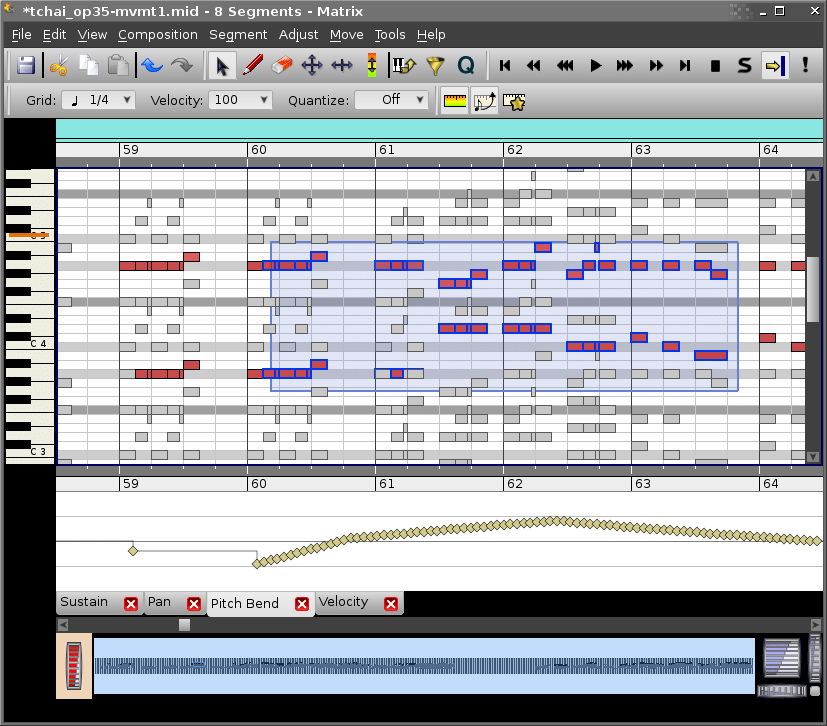
Rosegarden supports real-time MIDI recording, step entry and mouse-based note editing. Its Matrix, Notation and Event List editors provide different ways to work on a part: programme the notes, refine their timing or inspect the underlying events without rebuilding the phrase in another application. Multiple segments can also be opened together for editing.
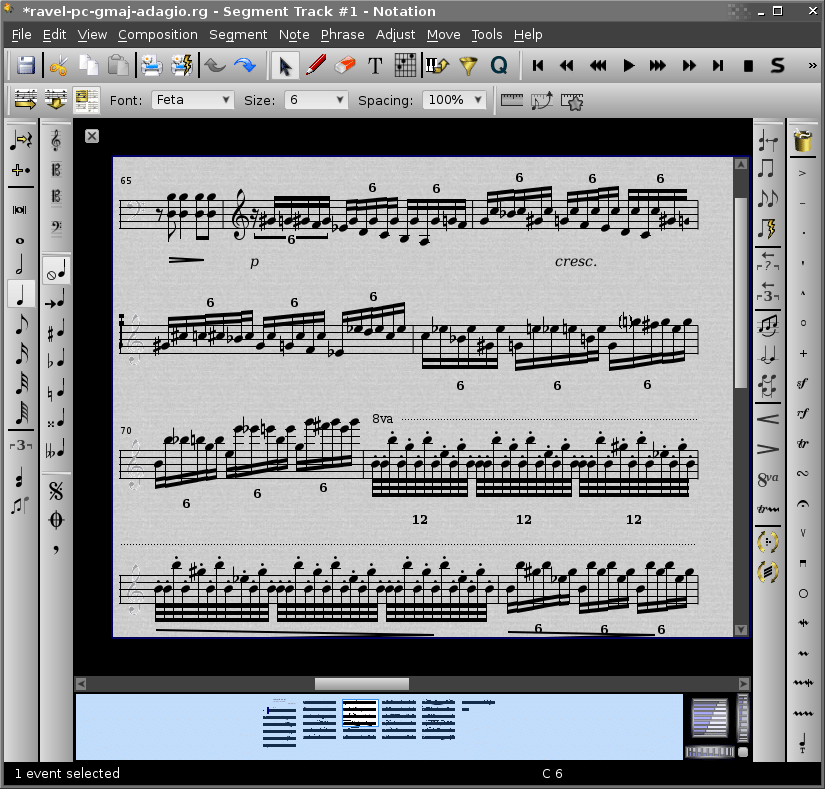
Notation quantisation separates readability from playback timing. A recorded keyboard part can contain small timing differences that sound natural but create awkward-looking notation. Rosegarden can simplify how those notes appear on the stave without applying the same correction to the performed timing.
That lets you prepare a readable part without automatically straightening the performance.
The MIDI tools also extend beyond note entry. Controller rulers provide access to velocity, pitch bend and control changes, while device definitions let you select supported hardware patches by name. For an external synth arrangement, the project can retain information about its banks, programs and connections rather than relying on handwritten patch numbers.
Audio recordings sit alongside MIDI segments in the arrangement, allowing a programmed or notated part to develop around a recorded vocal, guitar or other performance. Rosegarden supports recording, moving, splitting and arranging audio, but it does not provide a full waveform editor; detailed waveform work requires a separate application.
Hosted synthesiser tracks can use the audio mixer and effects processing, while external hardware and standalone software synthesisers connect through MIDI. The distinction matters when preparing a mix: a plugin instrument generates its audio inside Rosegarden, whereas an external instrument’s output needs an appropriate recording or routing path.
Plugin support has also moved beyond older LADSPA/DSSI-only descriptions. Rosegarden 24.12 introduced beta LV2 support, with further LV2 fixes and interface improvements in 26.06. Existing LADSPA effects and DSSI instruments remain part of the supported plugin environment.
Composition, performance editing and score preparation within a Linux audio and MIDI workspace.
Select the notes in the Notation editor, open the Quantize dialogue and enable Quantize for notation only. This changes the displayed note positions and durations without applying those corrections to playback or the Matrix editor’s performance data.
Choose a grid that still accommodates the shortest intended notes. A coarse setting may simplify the score but conceal rhythmic detail. The raw-note ruler above the notation helps compare the performed timing with the displayed result.
Select the MIDI segment and use Segments → Split → Split by Pitch. Choose a dividing pitch to separate the higher and lower notes. The ranging split-point option attempts to follow parts that move above and below a fixed boundary, rather than dividing every note at one pitch.
The resulting segments initially overlap on the same track.
Move one to another track to make the parts easier to manage, then review the separation before preparing the notation. Treat the automatic split as a starting point, particularly where the hands overlap.
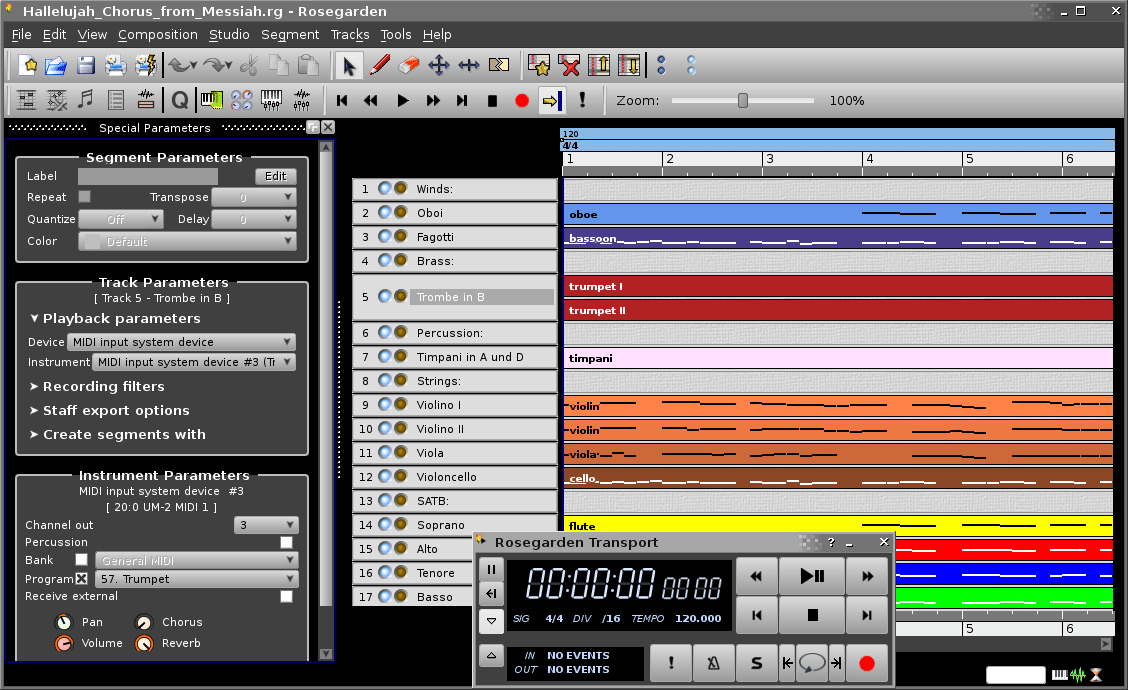
The tracks may be assigned to the same instrument, even though they occupy separate rows in the arrangement. In Rosegarden, an instrument can represent a MIDI channel, a synthesiser plugin or an audio output. Tracks sharing it also share its sound and relevant settings.
Right-click the track label and assign a different instrument when the part needs independent settings. For external MIDI equipment, that usually means selecting a separate instrument/channel assignment rather than merely creating another track with a different name.
Select the required track or segments, then open File → Print Preview. In the LilyPond options, change Export content from the full arrangement to the selected track or selected segments.
The other parts remain in the project but are excluded from that output.
For a piano part spread across two tracks, select the relevant segments from both rather than exporting only one track. Check the preview’s staff size, paper layout and tempo markings before printing or sharing the generated PDF.
Rosegarden’s documented Export WAV File function includes audio tracks and hosted synthesiser-plugin tracks. It does not automatically capture a hardware synthesiser or a separate software synth simply because you can hear that instrument during playback.
Record the external instrument’s output into an audio track before exporting, or use a real-time recording setup that captures all the required outputs. For hardware, connect its audio outputs to the recording interface; the MIDI connection carries the performance instructions, not the resulting sound. Check the captured audio before relying on it in the final export.

Qualified sound engineer, music producer and DJ. Founder of Jeffro Music, specialising in music production software reviews, sound design and practical resources for music creators.