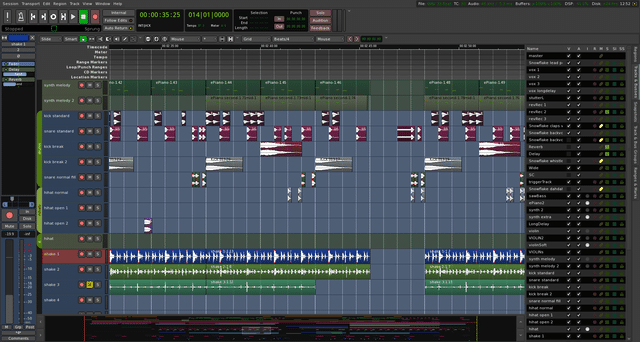
Ardour is an open-source digital audio workstation for recording, arranging and mixing audio and MIDI on Linux, Windows and macOS. It combines multitrack recording, non-destructive editing, software instruments and flexible routing in a standalone production environment.
Its strength is keeping production decisions reversible. Alternative takes can remain available while you build an edit, and effects can stay attached to individual phrases rather than processing an entire track. That gives you room to change the arrangement without rebuilding every decision around it.
Ardour’s recording modes preserve the underlying audio when you overdub or trim regions. Playlists let you maintain different takes or arrangements on the same track, making it possible to compare performances without creating a separate mixer channel for every attempt. A vocal edit can develop independently while the original takes remain available.
The mixer provides different ways to organise related signals. Route drum microphones into a subgroup when you want shared compression and a single level control. Use auxiliary sends when you need a separate effects return or headphone balance without replacing the tracks’ main routing. These are different jobs, and Ardour lets you build the signal path around the session.
Region FX make phrase-specific processing particularly useful. Apply an effect to one audio region and its settings and automation remain attached when that region moves. For example, a filtered vocal phrase can move from the verse to the breakdown without needing its processing to be recreated at another timeline position.
Ardour’s Cue page supports recording audio and MIDI directly into launchable slots. Choose a fixed recording length or continue until you stop; Ardour then plays back the captured material according to the cue’s timing settings. This gives you a way to develop a repeating bassline, percussion phrase or synth part before committing to a full arrangement.
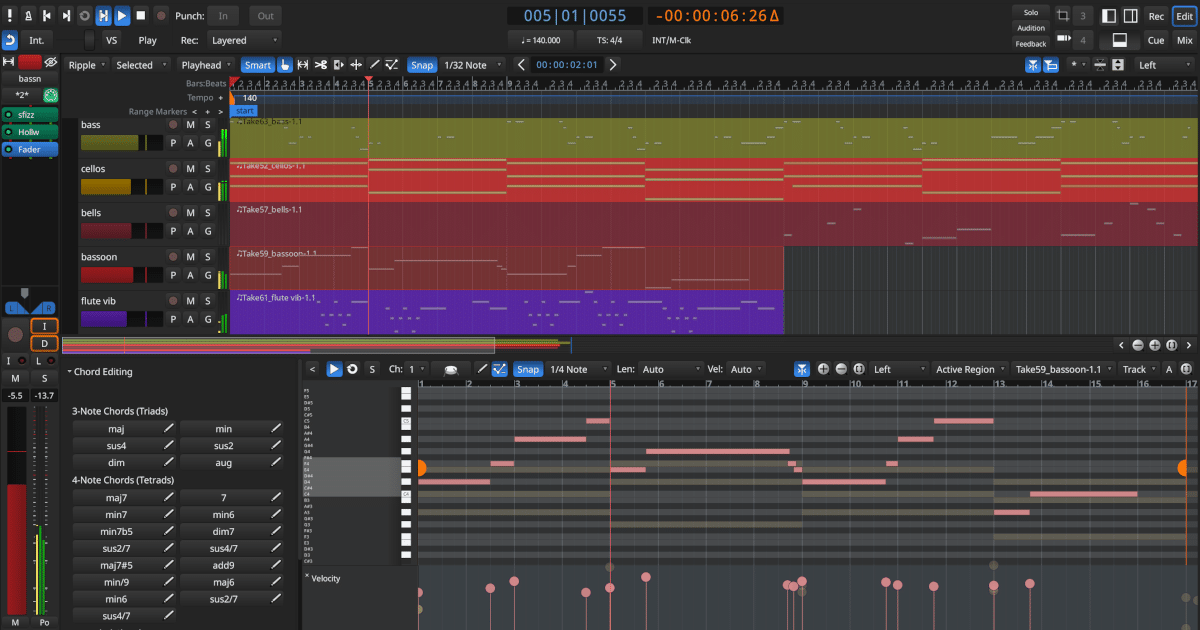
Dedicated piano-roll windows provide focused note editing, with velocity and MIDI controller information available alongside the notes. You can work in a separate window or a pane within the main editor, rather than continually resizing the arrangement to reach a short MIDI passage.
Cue recording, dedicated piano-roll windows and Region FX arrived with Ardour 9.
They are a reason to check the installed version, particularly when obtaining Ardour through a Linux distribution whose package may differ from the current project release.
Recording, editing and arrangement tools for sessions that combine live performances, software instruments and detailed mixing.
Plugin-format support does not make plugin builds interchangeable between operating systems. Ardour’s Plugin Manager identifies compatibility problems such as incorrect architecture or attempting to load a Windows plugin directly on Linux.
Keep the takes in separate playlists, then copy the chosen phrases into a dedicated comp track. Ardour’s playlist system lets you switch between the original performances while assembling a separate finished edit.
Alternatively, layered recordings can be displayed in Stacked mode to make overlapping takes easier to inspect.
Preserve the phrases’ timing while copying, then trim and adjust the transitions. Region fades provide control over joins, helping avoid abrupt changes between performances. The originals remain your reference rather than being replaced by the comp.
Create a dedicated headphone bus, feed it using pre-fader auxiliary sends, and route that bus to separately addressable outputs on the audio interface. Adjust the sends to give the vocalist their preferred balance of voice and backing tracks.
Because the sends are pre-fader, moving the main track faders does not directly change those send levels.
The interface must provide an independent output path for that mix. A headphone output that only mirrors the main outputs cannot deliver a different balance without additional routing capability.
The buffer is only one contributor to monitoring delay. Interface latency and plugin processing also matter. Ardour’s I/O latency indicator includes calibrated system latency and plugin delay, so it is more informative than the buffer setting alone.
Inspect processors on the recording track, any buses it passes through and the master output. For troubleshooting, save a separate session version and test the monitoring path without delay-inducing processors.
Hardware direct monitoring avoids the DAW’s processing path, but it also bypasses the effects you may need to hear, for example, an amp simulator used while recording guitar.
Open Session → Export → Stem Export and select the individual tracks or buses as the sources rather than the master output. Enable Apply track/bus processing when you want the selected channel’s processing included.
Export the files over the same time range so they remain aligned when imported elsewhere.
The selected source matters. Exporting a kick track does not include compression applied later on the drum bus. To preserve that grouped processing, export the drum bus instead. The master chain is not automatically added to those individual track or bus exports.
Send the session’s media as well as its project file. Before copying the session folder, use Bring all media into session folder to collect externally linked audio and MIDI files. Sending only the .ardour file does not include the recordings.
Ardour’s archive tool packages the active snapshot and the media it uses, including externally referenced files. Send the complete, collected session folder instead when the recipient also needs other snapshots and unused takes.
The receiving system still needs compatible plugins and their sound libraries. Include a plugin list and render important instrument parts to audio when the other producer cannot reproduce the same setup. An archive preserves plugin settings; it is not a substitute for installing the required instruments and effects.

Qualified sound engineer, music producer and DJ. Founder of Jeffro Music, specialising in music production software reviews, sound design and practical resources for music creators.