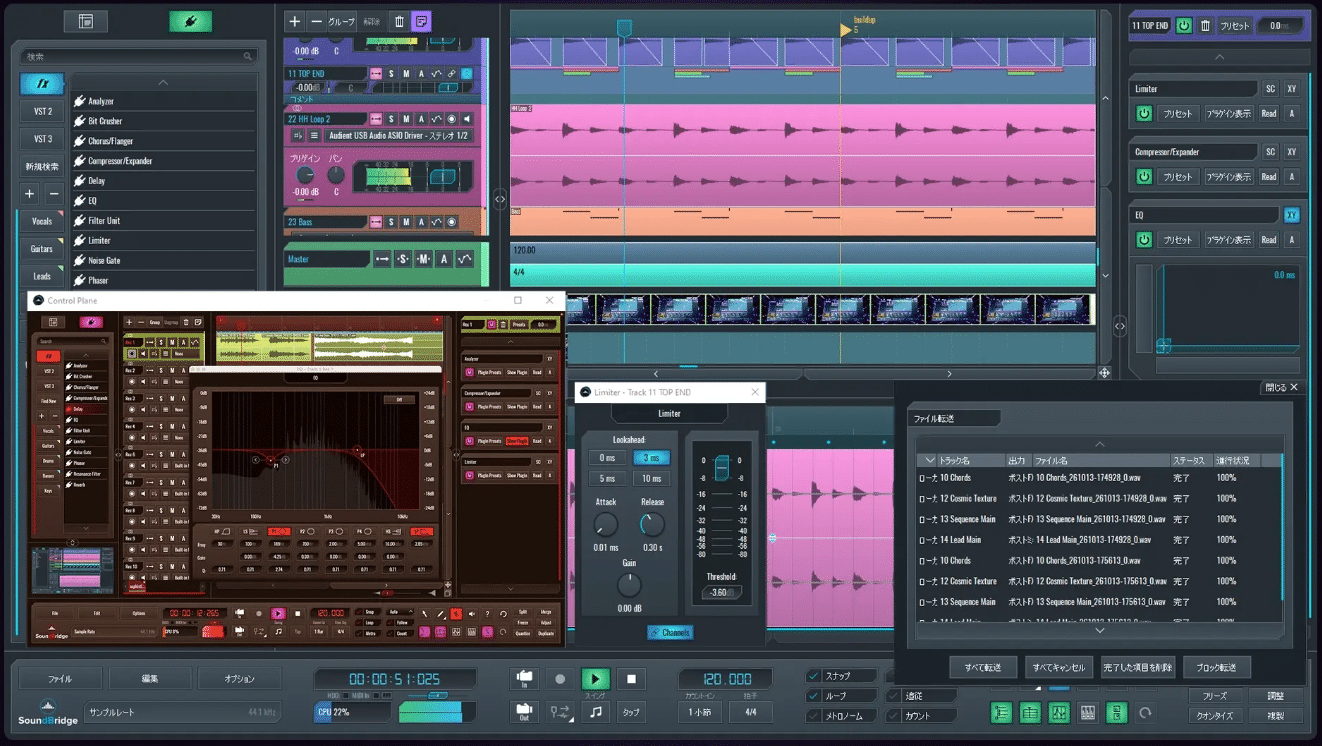
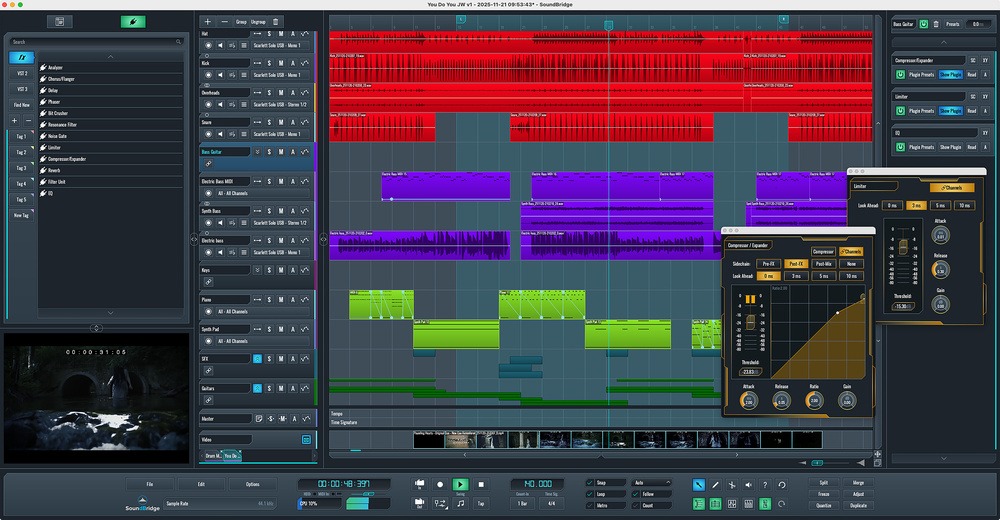
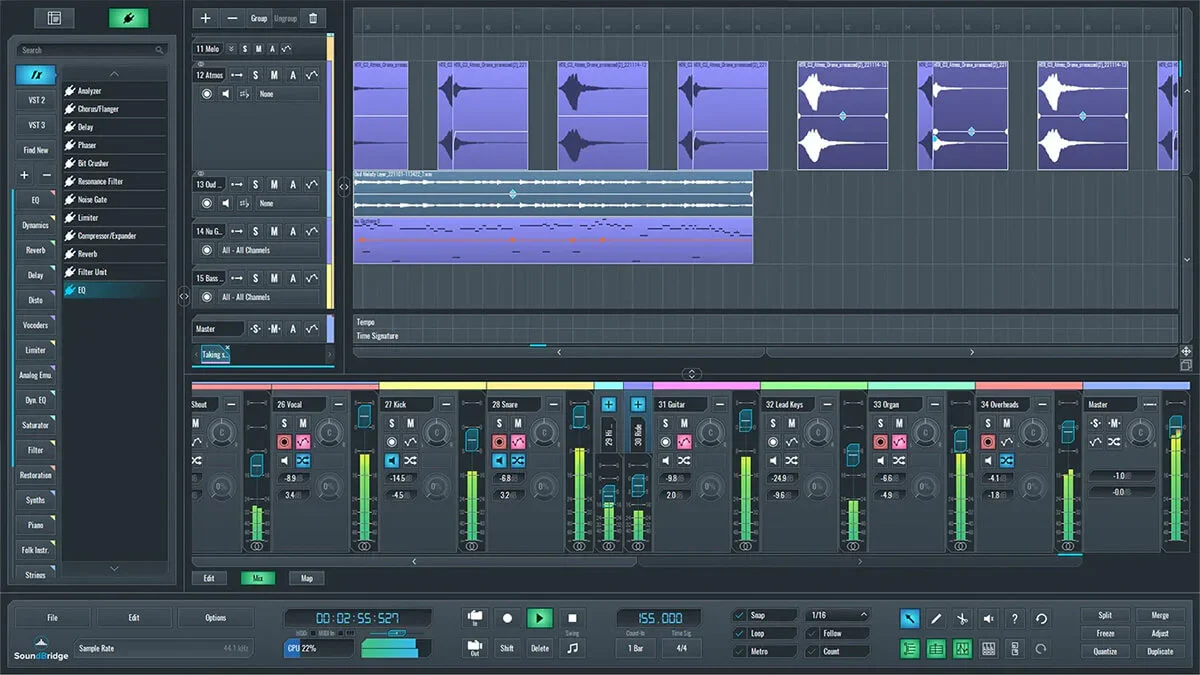
SoundBridge is a free digital audio workstation for Windows and Mac, offering a surprisingly capable recording, editing and mixing environment without the intimidating interface found in some professional DAWs.
What immediately makes SoundBridge interesting is its simplicity. Rather than filling the screen with hundreds of buttons and features you might never use, the developers have concentrated on making the essential music production tools reasonably easy to find.
You get multitrack audio recording, MIDI sequencing, a proper mixer, automation and support for third-party VST plugins. That’s a decent foundation whether you’re recording guitars, producing electronic music or simply learning how a DAW works.
As someone who has spent years working with music production software, I can appreciate an interface that doesn’t make straightforward tasks unnecessarily complicated. More features don’t automatically make a better DAW, particularly when you’re still learning.
However, SoundBridge has changed considerably since its early days as a completely free workstation.
The current free version limits you to 10 tracks, and several of its more interesting features now require a paid licence.
So, is SoundBridge still worth downloading in 2026, or have the developers restricted the free version a little too much?
SoundBridge supports 64-bit Windows and macOS systems. Its published compatibility information includes:
SoundBridge’s audio engine supports sample rates up to 192 kHz, which is more than adequate for professional recording. I wouldn’t get too excited about that specification, though. Recording at 192 kHz isn’t going to turn a poor microphone or badly treated room into a professional studio.
I’d be much more concerned about having a reliable audio interface, sensible buffer settings and enough memory to run your chosen plugins.
As always, check the developer’s latest compatibility information before installing, particularly if you’re using an older computer.
SoundBridge isn’t a time-limited demonstration. The free version provides access to the same core audio engine as its premium editions, but with restrictions on track counts and certain advanced features.
The main things you get are:
That’s enough to record a small song, experiment with virtual instruments and learn the fundamentals of mixing.
The important distinction is that the 10-track restriction isn’t simply a limit on how many tracks you can play simultaneously. SoundBridge also restricts saving projects that exceed the free track allowance.
The built-in sampler, advanced MIDI options and remote collaboration hosting are among the features reserved for premium users.
If you’ve come across older reviews describing SoundBridge as an unrestricted free DAW, be careful. Those descriptions don’t reflect its current licensing model.
One of SoundBridge’s biggest attractions is the interface.
If you’ve previously used Cubase, REAPER or another traditional DAW, the overall layout should feel reasonably familiar.
There’s a timeline for arranging music, individual audio and MIDI tracks, a dedicated mixer and editors for working with recorded material.
Personally, I prefer having a logical recording environment where the tools I need are easy to access. SoundBridge’s design follows that philosophy rather well.
You can create an audio track, configure its input, record a performance and start editing without needing to understand an enormous collection of advanced features first. That’s especially useful for musicians moving beyond simple recording software like Audacity.
Instead of recording everything into one stereo file, you can keep vocals, guitars, bass and other instruments separate, allowing you to adjust their levels and processing independently.
The interface also includes configurable panels and a relatively uncluttered workspace, which should help beginners concentrate on the actual recording process.
In its March 2026 review, Sound On Sound highlighted SoundBridge’s streamlined feature set and gentle learning curve as two of its strongest qualities. I think that’s where the software has the clearest advantage over some of its more complicated competitors.
SoundBridge provides the essential tools for recording and editing real instruments.
You can capture audio directly from a microphone or audio interface, arrange recordings along the timeline and make adjustments without permanently altering the original files. Basic editing operations include trimming, splitting, moving and adjusting audio regions.
You also get fades and other tools needed to make transitions between recordings sound natural. For example, imagine recording a vocalist who delivers a brilliant first verse but struggles with the final line.
Rather than recording the entire performance again, you can capture another take and edit the preferred sections into your arrangement.
That’s the sort of everyday recording task a DAW needs to handle comfortably. SoundBridge also includes audio stretching and editing capabilities that can help when working with recorded loops and performances.
For me, these fundamental editing tools are far more important than having hundreds of effects.
Being able to record cleanly, organise a session and edit performances efficiently is essential whether you’re making electronic music or working with a live band. The problem is that recording more complicated projects will quickly expose the free version’s track limit.
Yes. SoundBridge offers a free version that you can use without purchasing a licence. However, projects are limited to 10 tracks, and certain features, including the native sampler and premium collaboration tools, require an upgrade.
Yes. SoundBridge supports compatible third-party VST instruments and effects, allowing you to expand the software with synthesizers, drum machines, samplers and mixing plugins.
Not in the free version. The free edition limits projects to 10 tracks and restricts saving beyond that allowance. Unlimited tracks are available through a paid licence.
It depends on your preferred workflow. SoundBridge has a relatively straightforward interface, which may appeal to beginners. However, I'd personally favour Waveform Free for larger productions because it doesn't impose SoundBridge's 10-track limit.
Yes. Its uncluttered interface and traditional recording workflow make it a reasonable choice for learning audio recording, MIDI sequencing and mixing. The main consideration is whether the free version's restrictions will become frustrating as your projects grow.

Qualified sound engineer, music producer and DJ. Founder of Jeffro Music, specialising in music production software reviews, sound design and practical resources for music creators.