Reason is one of those music production programs I’ve always had a soft spot for. I started using it back when Reason 3 was around, and although I haven’t used it much over the last five years, I spent years exploring its synthesizers, effects and virtual Rack.
What interested me most wasn’t the sequencer or the idea of producing entire tracks inside Reason. It was the sound design.
My workflow was built around Cubase. I’d connect Reason to Cubase, use Reason for its synths and instruments, and handle my sequencing, recording and arrangement in Cubase. I never really used Reason’s own sequencer. For me, it was a rack of creative instruments that I could incorporate into a larger production setup.
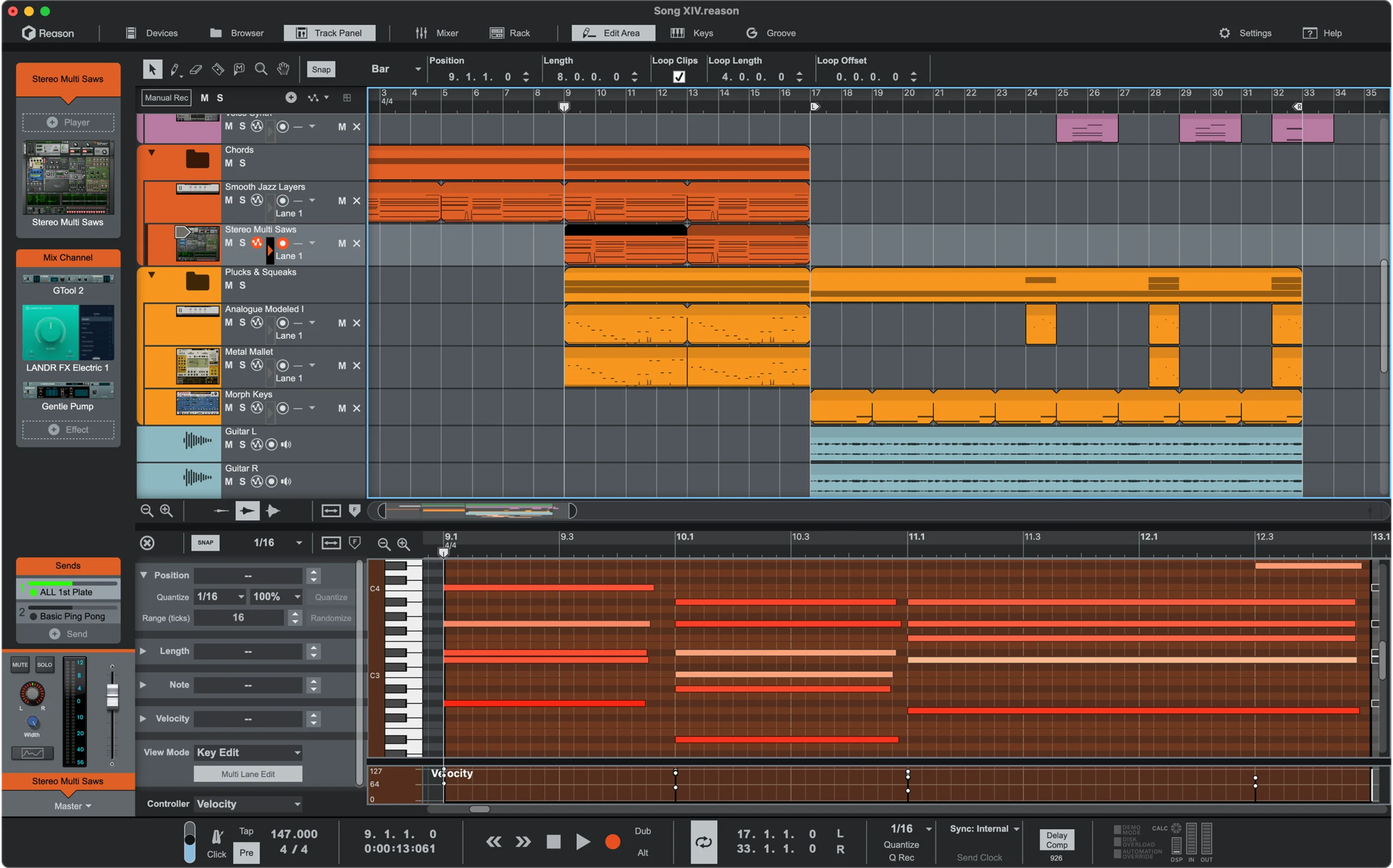
That’s why the release of Reason Free in August 2026 caught my attention. Reason Studios now offers a permanently free version containing 15 Rack devices, including Europa, Kong Drum Designer and Scream 4, alongside a standalone 16-track DAW.
Even better, the Reason Rack can operate as a VST3, AU or AAX plugin inside another workstation, making the workflow particularly appealing to someone who has always preferred using Reason alongside another DAW.
Before downloading Reason Free, I’d recommend checking that your computer meets the requirements, particularly if you’re using an older machine.
Reason Free comes with four instruments, five effects, one MIDI Player and five utility devices.
You also get the standalone Reason DAW, which supports up to 16 audio or instrument tracks. That restriction doesn’t apply to the number of tracks in another DAW when you’re using Reason Rack as a plugin.
Premium Rack devices remain locked unless you purchase them separately or subscribe to Reason+. Compatible free and paid Rack Extensions can also be added.
For me, the attraction is that you don’t need to move your entire production workflow into Reason to benefit from its instruments.
The synths were always my main reason for using Reason. Going back to Reason 3, I loved being able to experiment with different sounds inside the Rack and then bring those sounds into my Cubase projects.
I was never particularly interested in changing how I sequenced or arranged music. I wanted instruments that inspired new ideas.
The original instruments were part of what made Reason such an interesting production environment, and quite a few of those old devices are still around today.
When I started using Reason 3, back when the software was still developed under the Propellerhead name, its instrument collection was very different from what Reason offers today.
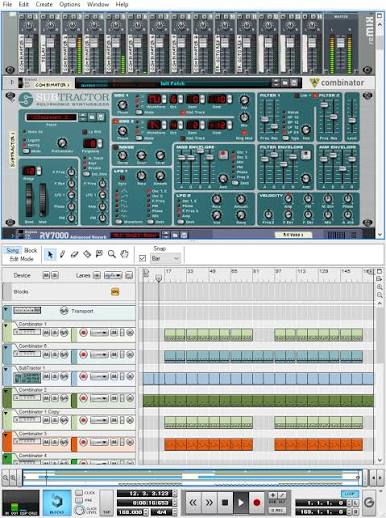
One of the original synthesizers was Subtractor Analog Synthesizer. This was Reason’s classic subtractive synth, with two oscillators, filters, envelopes and modulation controls. It was well suited to programming basses, leads and traditional analogue-style sounds.
There was something appealing about its straightforward layout. You could build a sound from scratch without having to work through pages of complicated menus.
Another standout was Malström Graintable Synthesizer, which had a completely different character. Malström combined elements of granular and wavetable synthesis, allowing it to produce unusual textures, evolving pads, metallic tones and much more experimental sounds.
Where Subtractor was relatively conventional, Malström encouraged you to create something strange. The combination of its graintable oscillators, filters, shaper and modulation options made it one of Reason’s most distinctive instruments.
Reason 3 also included the NN-19 Digital Sampler and NN-XT Advanced Sampler.
These weren’t synthesizers in the traditional sense, but they provided plenty of creative possibilities through sample-based instruments. NN-19 offered straightforward sample playback and editing, while NN-XT provided more advanced multisampling, velocity mapping and layered instrument capabilities.
For drums, there was Redrum Drum Computer, which featured ten drum channels and a built-in pattern sequencer. There was also Dr. REX, which allowed sliced REX loops to be played and manipulated inside the Rack.
Although I mainly used Reason for its instruments rather than its sequencer, having synthesizers, samplers, drum machines and effects available together was a big part of its appeal.
Reason 3 also introduced Combinator, which allowed several devices to be grouped into one playable instrument or effects chain.
That was particularly useful for sound design because you could combine different devices, rather than relying on a single synthesizer to produce everything.
The good news is that many of them have survived.
The current paid Reason 14 still includes Subtractor, Malström, NN-19, NN-XT and Redrum. The original Dr. REX has evolved into Dr. Octo Rex, which expands on the original loop-playing concept. Combinator is also still part of Reason, having developed considerably since its introduction in Reason 3.
However, there’s an important distinction between the current full version and Reason Free.
Subtractor, Malström, NN-19, NN-XT and Redrum are not among the 15 devices included with Reason Free. They remain available in the current paid Reason collection. Some familiar effects and utilities have made it into the free version, though, including Scream 4, RV7000 MkII, Spider Audio, Spider CV and Combinator.
That’s a nice connection to the Reason I remember, even if some of the old synthesizers aren’t included. Reason Free instead gives you newer instruments such as Europa, Kong, Monotone and ID8.
So while you won’t get the entire classic Reason 3 instrument collection for nothing, you still get a combination of familiar Rack devices and more modern production tools. For me, that’s an interesting way to revisit Reason after spending several years away from it.
Europa is probably the instrument I’d be most interested in exploring in Reason Free. It features three spectral wave engines, extensive modulation and more than 600 presets.
I’d use it for electronic basses, leads and evolving pads, experimenting with its waveform shaping and filters rather than relying entirely on presets. It’s the kind of flexible synthesizer that originally made Reason so appealing to me.
Kong is a 16-pad drum instrument that combines sampling, synthesis and built-in effects.
Compared with Redrum from the Reason 3 days, Kong offers more flexibility for designing individual drum sounds. I’d use it to layer kicks, create unusual percussion and develop custom electronic drum kits rather than relying on preset samples.
Monotone is a straightforward monophonic synthesizer suited to basses and leads, while ID8 supplies familiar instrument sounds such as piano, bass and strings.
Both are useful when you need a sound quickly without spending ages programming a complex patch.
Combinator was introduced in Reason 3, so it’s one of the devices I remember from my early years with the software.
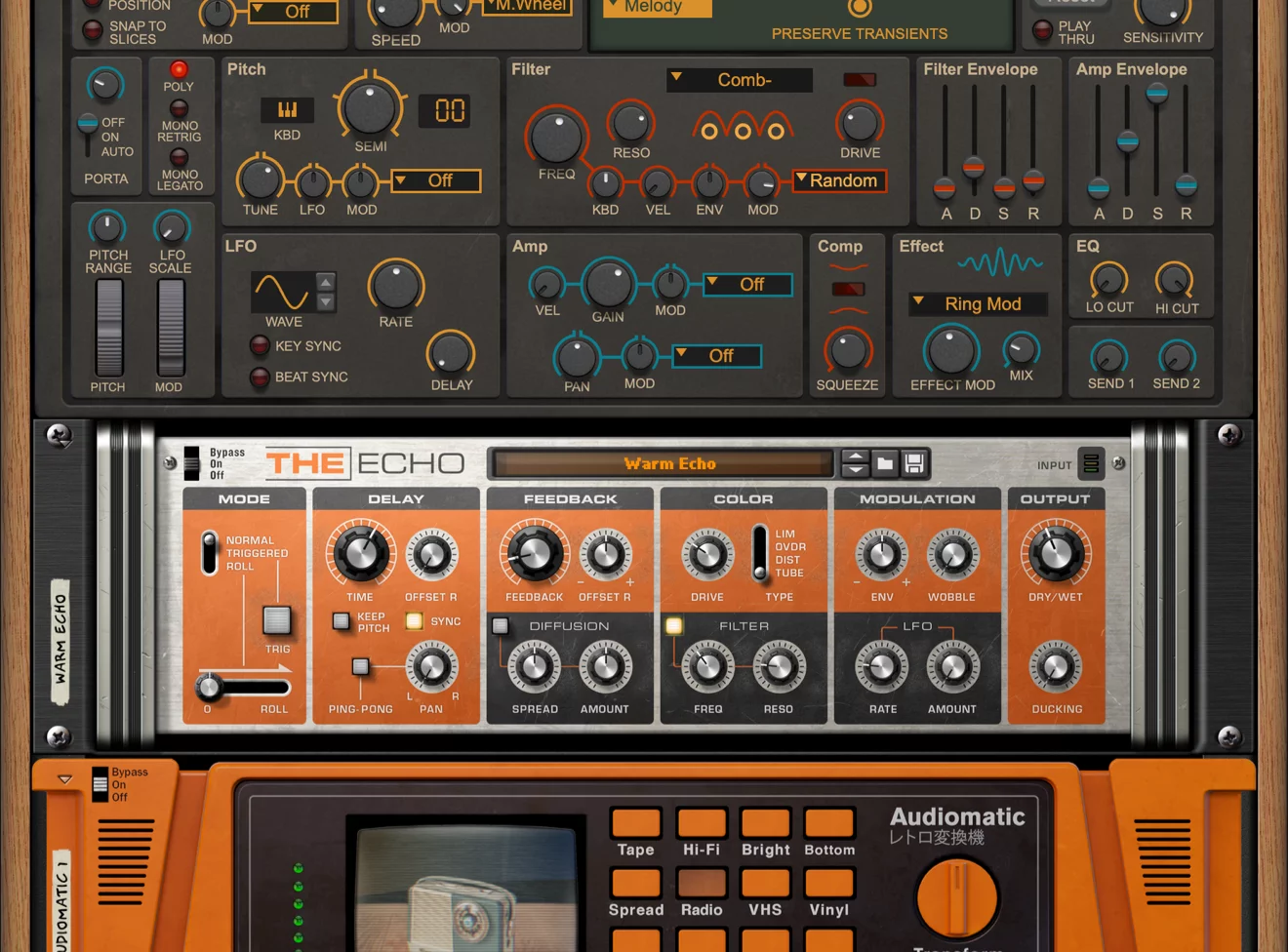
It lets you combine instruments and effects into a single patch with assignable macro controls. For example, I’d combine Europa with Scream 4 and The Echo, then use the macros to control filtering, distortion and delay.
This ability to build custom instrument chains is one of the things I’ve always liked about Reason.
One of Reason’s biggest attractions has always been its virtual Rack. I remember enjoying the ability to flip it around and connect devices as though I were working with real hardware.
That functionality remains in Reason Free. Pressing Tab reveals the rear connections, allowing audio and control-voltage signals to be routed between compatible devices.
Pulsar Dual LFO provides two modulation sources that can control parameters on other Rack devices.
I’d experiment with connecting it to Europa’s filters to create rhythmic bass movement or slowly evolving pads. Combined with Combinator, it offers plenty of opportunities for expressive sound design.
Scream 4 has been around since Reason 2.5, making it another familiar device from my Reason 3 days.
It’s a versatile distortion effect that I’d use for adding warmth, saturation or aggressive character to synthesizers and drums.
Using Spider Audio, I could split a bass signal, distort one path with Scream 4 and blend it with the clean signal to preserve low-frequency weight while adding harmonics.
Reason Free also includes The Echo for delay, RV7000 MkII for reverb, Audiomatic for lo-fi processing and MClass Maximizer for limiting.
RV7000 and MClass are particularly familiar from the Reason 3 era.
Individually, these are useful effects, but their real appeal is being able to combine them with instruments and other Rack devices to create more unusual processing chains.
Although I used Reason for years, I never really adopted its sequencer. Cubase was always where I recorded, arranged and mixed my music.
Reason Free now includes a standalone DAW with recording, MIDI sequencing, audio editing and mixing, although it’s restricted to 16 audio or instrument tracks.
For beginners or relatively simple productions, 16 tracks can be sufficient for drums, bass, chords, melodies and vocals.
Larger productions with extensive vocal layers or individually recorded instruments could quickly reach that limit.
I’d personally prefer using Reason Rack inside Cubase, where the host DAW handles the arrangement without Reason Free’s standalone track restriction.
The standalone version includes useful features such as recording comping, time-stretching, audio slicing, quantisation, Vocal Edit and Blocks mode.
These provide the tools needed to record performances, correct timing and develop complete arrangements.
Although the sequencer was never what attracted me to Reason, its inclusion makes Reason Free a more complete production package, particularly for somebody learning music production for the first time.
This is the workflow that feels most natural to me.
When I started using Reason 3, I connected it to Cubase and treated it mainly as an additional collection of synthesizers and instruments. I never used Reason’s sequencer to build my arrangements. With the modern Reason Rack plugin, the same general approach is much more convenient.
I’d load the Rack inside Cubase, choose an instrument such as Europa and sequence it directly from the Cubase project.
That means I could keep my existing arrangement, audio editing and mixing workflow while still using Reason’s instruments. For anybody already comfortable with another DAW, this is one of Reason Free’s biggest advantages.
I’d start by loading Europa or Monotone and creating a basic bass patch. Next, I’d introduce Pulsar Dual LFO and connect it to a compatible filter parameter.
I’d begin with a relatively slow modulation rate and increase it until the sound develops some rhythmic movement. The trick is keeping the lower frequencies consistent while allowing the character of the sound to change.
If I wanted more performance control, I’d use Combinator to assign the modulation amount to a macro. That would make it easier to introduce movement during particular sections of the arrangement.
Kong provides an interesting alternative to using a conventional drum sampler. I’d begin with a kick and snare, experimenting with different sampled and synthesized elements. Once those sounds worked together, I’d add percussion and supporting hits.
I’d concentrate on making each drum sound useful in the arrangement rather than filling every pad simply because it’s available. The completed kit could then be saved and reused in other projects.
For electronic music, having control over the individual character of each drum can be more useful than relying entirely on a preset kit.
One effect chain I’d enjoy building in Reason Rack is a parallel distortion setup. I’d use Spider Audio to split an incoming bass or drum signal into clean and processed paths.
The processed signal would pass through Scream 4, while the clean path would retain more of the original sound. I’d experiment with the distortion type, drive and balance between both paths.
This would allow me to add aggressive harmonics without completely sacrificing the original low-frequency content or transient response. I’d check the combined signal carefully, especially for phase cancellation.
Scales & Chords is useful when exploring harmonic ideas. I’d place it before a compatible instrument and select a scale. Playing simple MIDI notes would then generate chord voicings according to the selected settings.
I could see this being particularly useful for experimenting with chord progressions while developing an initial track idea. However, I’d still listen to the movement between chords rather than accepting every generated voicing automatically.
Sometimes the simplest progression works best when individual notes move smoothly from one chord to the next.
Yes. Reason Studios released Reason Free as a permanent free edition rather than a time-limited trial.
You don't need to subscribe to Reason+ to use the included instruments, effects or standalone DAW.
There's no trial expiration or audio watermark.
However, the free version has limitations. The standalone DAW supports a maximum of 16 audio or instrument tracks, and only 15 Rack devices are included.
Additional instruments and effects may require separate licences or a Reason+ subscription.
For me, the important distinction is that the included Rack devices can continue to be used without paying for an upgrade.
Yes. Reason Rack can be loaded as a VST3 plugin inside compatible versions of Cubase.
This is probably the feature I find most appealing.
I started using Reason back at version 3, but Cubase was always my main DAW. I used Reason primarily for synthesizers and connected it to Cubase rather than sequencing inside Reason itself.
Today, the Rack plugin makes that general workflow much simpler.
Install Reason Free, make sure the VST3 plugin is available to Cubase, and load the Rack on an appropriate instrument or effect track.
You can then sequence Reason instruments from Cubase while keeping your existing production workflow.
The standalone Reason Free DAW has a limit of 16 audio or instrument tracks.
However, that restriction doesn't apply to your host DAW's track count when using Reason Rack as a plugin.
For example, if you load Reason Rack into Cubase, Cubase manages the arrangement according to its own capabilities and licence.
This is one reason I've always preferred keeping my main sequencing and arrangement inside Cubase.
If you use Reason Free as a standalone DAW, you'll need to work within the 16-track restriction.
Reason Free includes 15 licensed Rack devices.
Additional Reason instruments and effects may appear within the interface but remain unavailable because they aren't part of the free edition.
This doesn't necessarily mean there's a problem with the installation.
You can purchase compatible Rack Extensions separately or subscribe to Reason+ for a larger collection.
I'd recommend exploring the included instruments first.
With Europa, Kong, Combinator and the modulation utilities, there's already a substantial amount of sound-design potential without buying anything else.
Reason Studios warns that installing Reason Free may replace the existing Reason Rack plugin for users of Reason 10–13.
This is particularly important if you rely on an older installation for existing projects.
Having started with Reason 3 and used several generations of Reason over the years, I'd be cautious about changing a working setup without checking compatibility first.
I'd back up important projects and review Reason Studios' installation guidance before proceeding.
Reason Studios states that Reason 9 and earlier can coexist with Reason Free.
If you rely on an existing Reason 10–13 Rack plugin, check the official guidance before installing the newer version.

Qualified sound engineer, music producer and DJ. Founder of Jeffro Music, specialising in music production software reviews, sound design and practical resources for music creators.