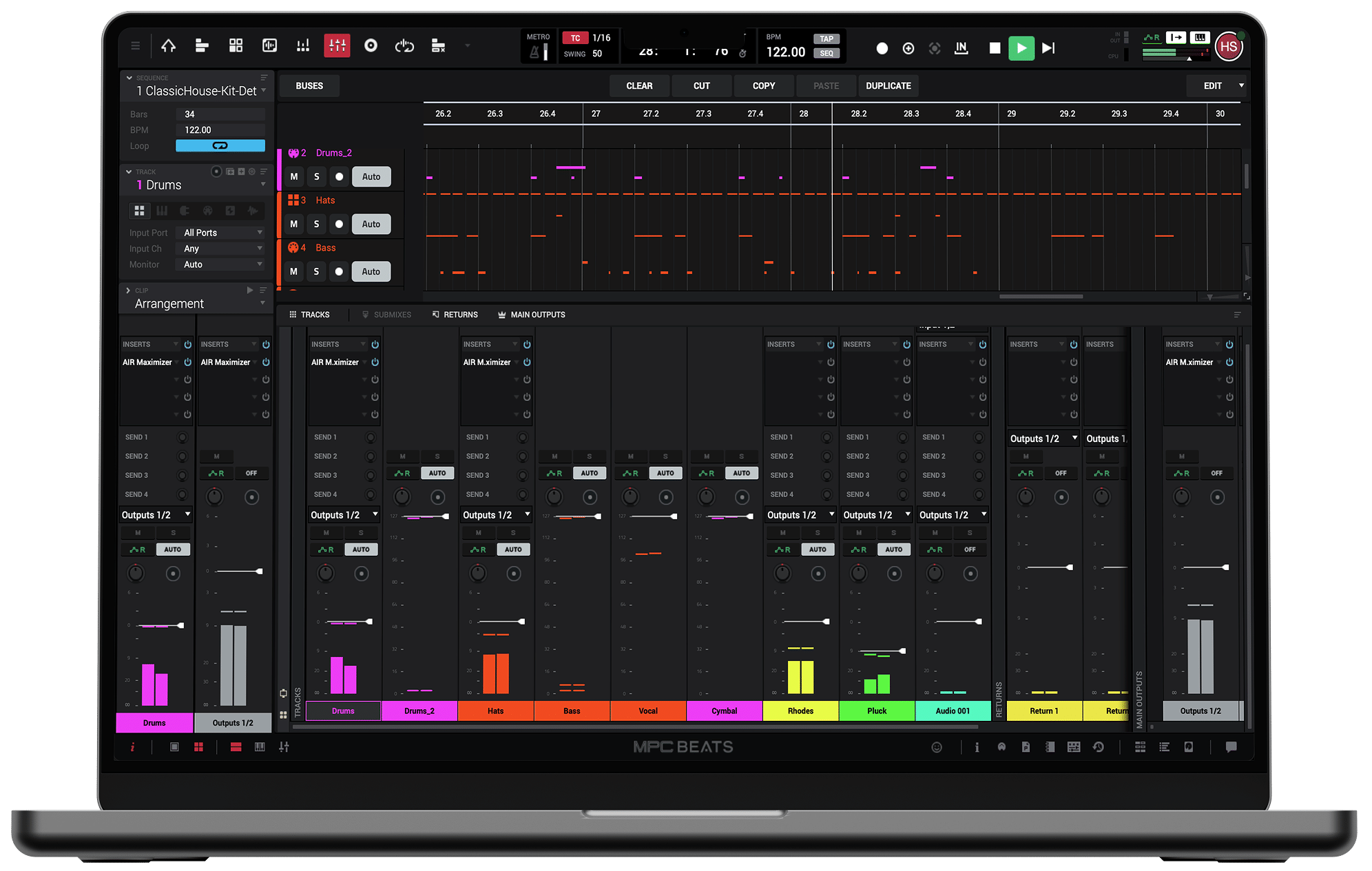
MPC Beats is Akai Professional’s free music production software, bringing the legendary MPC beat-making workflow to Windows and Mac.
Akai’s MPC hardware has played an enormous role in hip-hop, particularly when it comes to sampling, chopping breaks and programming drums. MPC Beats takes that approach and puts it into a software environment without requiring an expensive hardware sampler.
What interests me is how differently it approaches music production compared with a traditional DAW. I’ve generally preferred working in Cubase, where I can arrange, record and mix everything inside a familiar timeline. MPC Beats puts much more emphasis on building grooves, experimenting with samples and developing musical ideas through patterns.
In October 2026, Akai introduced MPC 3 Beats, bringing the free edition into its newer MPC 3 desktop environment.
That makes it worth looking at again, particularly if you’ve been reading older reviews describing the original MPC Beats.
MPC 3 Beats runs on Windows and macOS, with Akai listing the following requirements for MPC 3 Desktop:
The original MPC Beats was released in 2020 as a free introduction to Akai’s MPC production environment. It offered eight MIDI tracks, two stereo audio tracks, sample editing, drum programming, virtual instruments and effects.
In October 2026, Akai introduced MPC 3 Beats as the free tier of MPC 3 Desktop. Both the free and full editions now use the same application, with the available features determined by activation.
This is an important distinction because older tutorials, screenshots and limitations don’t necessarily describe the latest version.
Recent descriptions of MPC 3 Beats list a 16-track limit, but I’d recommend checking the current activation details before assuming every feature of the paid MPC 3 is available.
Sampling is where MPC Beats makes the most sense to me.
Rather than concentrating on a traditional linear arrangement, the MPC approach encourages you to build musical ideas around drum pads, samples and repeating patterns.
You can load drum sounds onto pads, experiment with different rhythms and build a groove before worrying about arranging an entire track.
For hip-hop, boom bap, trap and other sample-heavy styles, I can see why producers enjoy working this way.
The software includes a sample editor for trimming and chopping audio, letting you turn existing recordings into individual sounds that can be triggered and sequenced.
I’d approach it by finding an interesting musical phrase, chopping it into smaller sections and rearranging those pieces into something new.
That kind of experimentation is one of the biggest attractions of MPC-style production.
The familiar 16-pad layout makes it straightforward to build patterns from kicks, snares, hi-hats and percussion.
You can record performances using a MIDI controller or program notes directly into the software.
For me, the interesting part is the emphasis on rhythm. Instead of drawing everything into a timeline immediately, you can concentrate on making a short loop feel right.
Velocity changes, timing adjustments and variations between drum hits can make a simple pattern considerably more interesting.
I’d pay particular attention to the relationship between kick and bass, then experiment with subtle timing differences in the hi-hats and percussion.
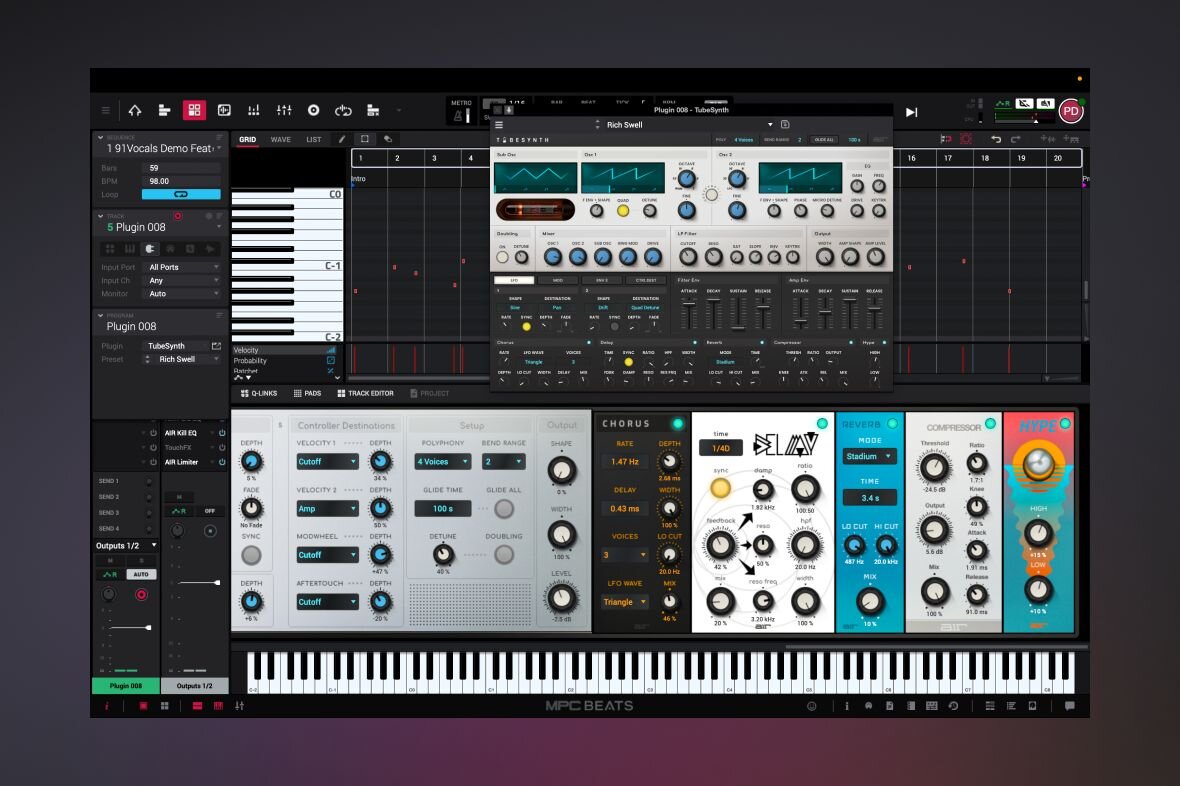
MPC Beats isn’t limited to chopping samples. The free software also includes virtual instruments, drum sounds, loops and effects for building productions from scratch.
The original version offered AIR instruments such as TubeSynth, Bassline and Electric. These cover useful territory, from synthesised basses and leads to keyboard-style sounds.
The newer MPC 3 Beats package continues to provide an introductory selection of instruments and production tools, although its content shouldn’t be confused with the complete paid MPC library. I particularly like the idea of combining sampled drums with synthesised bass rather than depending entirely on loops.
Effects are another important part of the workflow. EQ, compression, delay, reverb and other processing tools help shape individual sounds and bring a beat together.
The key is having enough creative options to finish an idea without immediately needing additional software.
One criticism of the original MPC workflow was that building complete arrangements could feel less intuitive than using a conventional DAW.
Older MPC software relied heavily on sequences and song-building methods that sometimes confused producers accustomed to a standard timeline.
MPC 3 introduced a more conventional linear arrangement approach, making the transition from short patterns to complete productions more straightforward.
I think thats an important improvement.
A good four-bar loop is only the beginning of a track. You still need an introduction, variations, breakdowns and an arrangement that develops naturally.
Although I would personally feel more comfortable arranging a complex production in Cubase, the newer MPC environment looks considerably more approachable for turning beat ideas into finished music.
Yes. MPC 3 Beats is Akai's free entry point into MPC 3 Desktop. It uses an inMusic account and doesn't require purchasing the full MPC software.
However, some instruments and advanced features are reserved for paid editions.
What's the Difference Between MPC Beats and MPC 3 Beats?
The original MPC Beats was a separate application with eight MIDI tracks and two stereo audio tracks.
MPC 3 Beats is the newer free tier within MPC 3 Desktop, sharing its application and modernised workflow.
The original MPC Beats was a separate application with eight MIDI tracks and two stereo audio tracks.
MPC 3 Beats is the newer free tier within MPC 3 Desktop, sharing its application and modernised workflow
No. You can work with the software using your computer and compatible MIDI equipment.
However, the MPC workflow becomes more hands-on when using drum pads or an appropriate controller.
It can be, especially if you're interested in hip-hop, sampling and drum programming.
However, producers familiar with traditional DAWs may initially find its organisation confusing.
For beat-focused productions, it may be all you need.
For extensive multitrack recording, complicated arrangements or larger mixing projects, I'd personally prefer a more traditional DAW.

Qualified sound engineer, music producer and DJ. Founder of Jeffro Music, specialising in music production software reviews, sound design and practical resources for music creators.