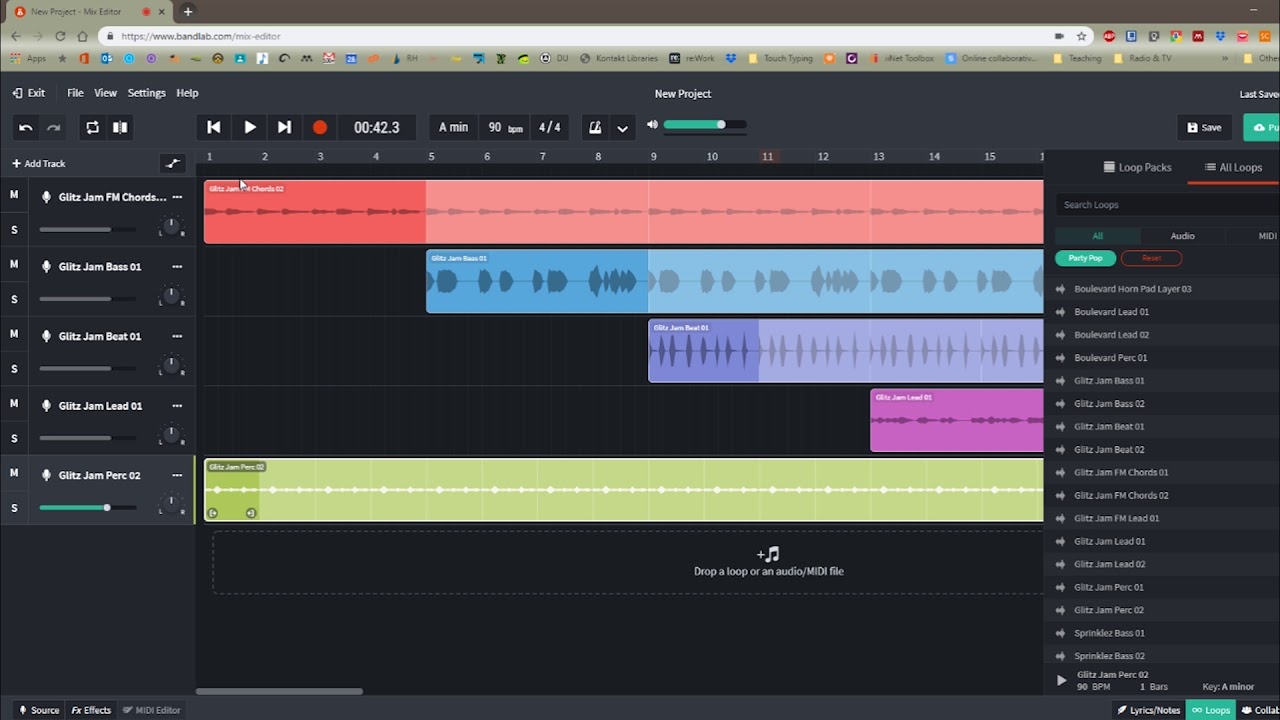
BandLab Studio is a cloud-based digital audio workstation that lets you record, edit and mix music directly in your web browser or on your phone, without downloading traditional desktop recording software.
What makes BandLab particularly interesting is how accessible it is. You don’t need a powerful studio computer, an expensive collection of plugins or even a proper recording setup to start making music.
You get audio recording, MIDI sequencing, virtual instruments, effects, thousands of samples and built-in mastering. There’s also a social platform where you can share your music and collaborate with other musicians.
I can see why it’s become popular with beginners, particularly rappers, singers and producers who want to get ideas recorded without spending weeks learning complicated software.
However, BandLab isn’t quite the unrestricted free DAW that some older reviews describe. The standard free Studio is limited to 16 tracks and 15-minute projects, while several advanced tools require Membership. More importantly, BandLab introduced Membership-only Studio access in certain regions in October 2026, with Japan explicitly affected. That makes checking availability in your country essential.
So, is BandLab Studio a genuinely useful music production environment, or will you eventually need something more capable?
Unlike traditional desktop DAWs, BandLab Studio runs inside a browser, so you don’t need to install a large recording application.
The current requirements are:
BandLab recommends Google Chrome for the best compatibility and stability. The advantage is obvious. You can start a project on your laptop, then open it on your phone without transferring files between computers.
However, because BandLab operates in the cloud, you’re dependent on an internet connection and the availability of its servers. That’s worth considering if you regularly record somewhere with unreliable Wi-Fi.
Where free Studio access remains available, BandLab provides a surprisingly generous collection of music production tools.
The main features include:
You can also import audio and MIDI files, arrange musical sections and export completed projects. One thing worth understanding is that BandLab’s advertised unlimited projects doesn’t mean unlimited tracks. The standard free Studio still has its 16-track restriction.
BandLab Membership increases that allowance to 32 tracks and unlocks additional effects, mastering options and AI-powered production tools.
There’s also a more serious catch. Since October 2026, BandLab has required a paid Membership to access Studio in certain regions, including Japan.
Existing projects remain stored, and users can download finished mixdowns, but editing those projects requires Membership in affected regions. That’s a considerable change from BandLab’s original free-for-everyone approach.
BandLab’s recording environment is straightforward, especially for beginners.
You can create a voice or audio track, select your microphone and record directly into the arrangement. Once recorded, you can trim, split, move and duplicate audio regions, making it possible to construct complete songs from several recordings.
This is particularly appealing for vocalists. Imagine you’ve downloaded an instrumental and want to record a rap verse, chorus and several backing vocals.
You can import the beat, record your vocals on separate tracks and add processing without installing a conventional desktop DAW.
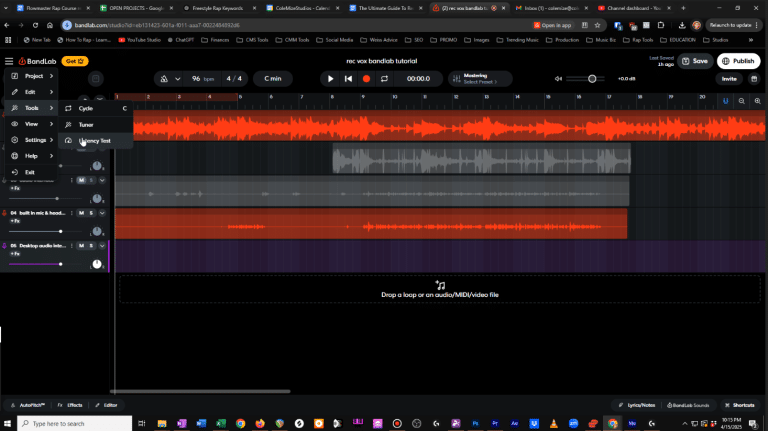
BandLab also includes tools for managing multiple takes and arranging recorded material. However, latency is something I’d pay close attention to. Several musicians on Reddit have reported recordings playing back slightly out of time, along with occasional audio dropouts and stuttering.
In one February 2026 discussion, a user described delayed microphone recordings and problems reopening projects. Another user suggested BandLab’s built-in latency correction tool as a possible solution.
These are individual experiences rather than proof that everyone will encounter problems, but they are worth considering.
For serious recording sessions, I’d recommend using wired headphones, checking the latency settings and testing your audio interface before recording anything important.
BandLab includes virtual instruments covering synthesizers, keyboards, basses and drums. You can programme melodies using its piano roll or record performances with a MIDI keyboard.
BandLab Sounds also provides an extensive collection of loops and samples, making it easy to experiment with different genres.
The biggest limitation is that BandLab Studio doesn’t support third-party VST plugins. Personally, I find that restrictive. If you’ve already collected free synthesizers and effects, you won’t be able to load them directly into BandLab Studio.
BandLab includes EQ, compression, reverb, delay and automation, providing the essential tools for creating a basic mix.
Its AutoPitch feature is particularly popular with singers and rappers, offering automatic pitch correction without purchasing additional software. You also get four free automated mastering presets.
That’s convenient, although I’d never rely on automated mastering to fix a poor mix. Getting your levels, EQ and compression right is still far more important. Advanced mastering options and additional effects require Membership.
Collaboration is one of BandLab’s biggest strengths.
You can invite other musicians to contribute recordings and ideas to the same project, with support for up to 50 collaborators. There’s also a built-in social platform for sharing music and discovering artists.
I think this is genuinely useful for musicians who don’t have access to a local recording community.
However, Reddit users have raised concerns about limited organic engagement and the increasing focus on paid promotional features.
The biggest limitations are the 16-track allowance, lack of VST support and dependence on an internet connection.
Some users also report latency problems and occasional instability when working with recordings.
The newer regional Membership restrictions are another concern, particularly for musicians relying on BandLab to store and edit important projects. I’d recommend exporting your finished songs and important recordings regularly.
It's free in supported regions, although advanced features require Membership. Some regions, including Japan, now require Membership for Studio access.
No. BandLab Studio only supports its own integrated instruments and effects.
The standard free Studio allows 16 tracks. Membership increases this to 32.
No. BandLab Studio requires an internet connection.
Yes. Its simple interface, instruments and recording tools make it particularly accessible for beginners.

Qualified sound engineer, music producer and DJ. Founder of Jeffro Music, specialising in music production software reviews, sound design and practical resources for music creators.