Tonocracy vs NAM

Which Free Guitar Amp Sim Is Better?

Tonocracy vs NAM is an interesting comparison because both offer realistic guitar amp tones without the premium price tag. However, there’s a twist: Tonocracy actually supports Neural Amp Modeler (NAM), meaning the two aren’t entirely separate competing technologies.

Tonocracy free VST was designed as a complete virtual guitar rig, combining amp modelling, guitar effects, cabinet simulation, NAM captures and flexible signal routing in one application. Neural Amp Modeler takes a different approach, focusing on accurately reproducing the sound of real amplifiers and pedals using open-source neural modelling technology.

On paper, Tonocracy appears to offer more features. But with ongoing concerns surrounding its account registration system and lack of recent development, is it still worth choosing over NAM?

Let’s compare their sound quality, features, performance, usability, and current availability to find out which free amp simulator deserves a place in your recording setup.

Tonocracy vs NAM: Quick Verdict

Neural Amp Modeler is my recommended choice in 2027, particularly for guitarists looking for free, realistic amp tones without depending on Tonocracy’s unreliable account services.

Tonocracy arguably offered a more complete out-of-the-box package. Its integrated effects, cabinet processing, SchemAccurate amplifiers, and flexible signal routing made it an attractive option for guitarists who wanted everything inside one plugin.

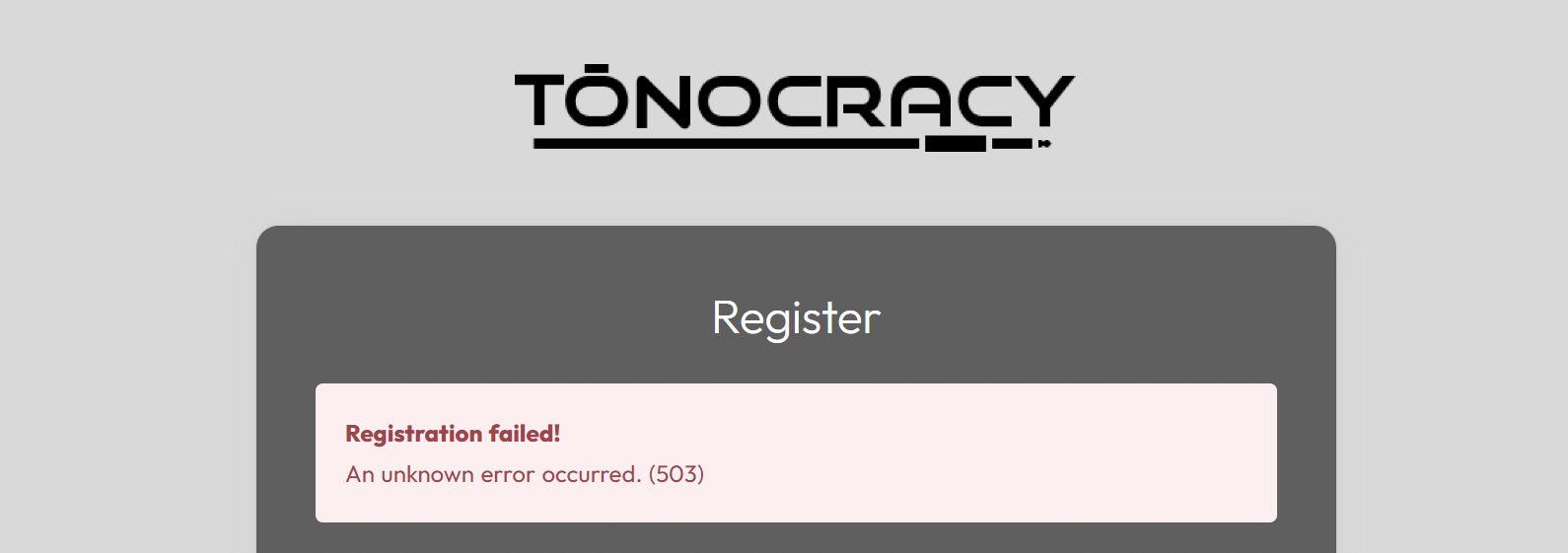
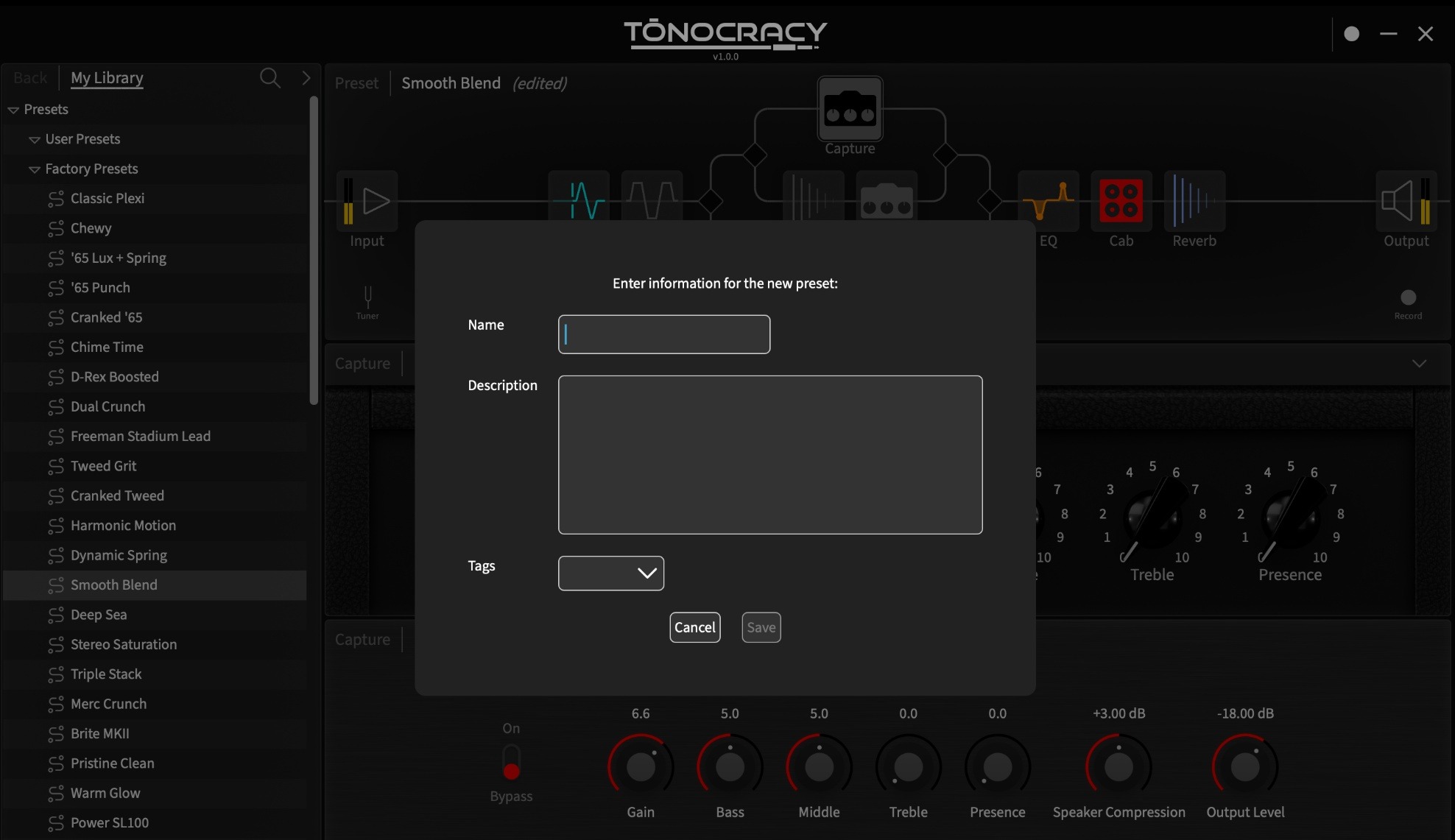
However, NAM’s open-source design, extensive community model library, and growing ecosystem of compatible software make it a more practical long-term option. Tonocracy also has a critical problem: registering for an account throws a HTTP 503 Service Unavailable error. Screenshot 2026-11-18 184823While that doesn’t conclusively prove Tonocracy has been discontinued, it’s a serious concern for any beginner producer or engineer trying to use it for the first time.
My verdict: Choose NAM for accessibility, flexibility, and continued development. Tonocracy remains an interesting option for existing users with working installations, but we wouldn’t currently recommend relying on it for a new recording setup.

Tonocracy vs NAM: Features Compared

FeatureTonocracyNeural Amp Modeler
PriceFreeFree
Open sourceNoYes
Guitar amp capturesYesYes
NAM file supportYesNative
Proprietary capture technologyToneSnapNAM architecture
Built-in amp modelsSchemAccurate collectionLoads neural models
Cabinet IR supportYesYes
Built-in effectsExtensive collectionMore limited
Flexible effects routingYesRequires additional hosting software for complex routing
Standalone applicationYesYes
VST3 supportYesYes
Windows and macOSYesYes
LinuxNo official Tonocracy versionAvailable through parts of the NAM ecosystem
Account registrationRequired by Tonocracy’s account workflowNot required for the core open-source plugin
Development statusUncertainOngoing

The biggest difference isn’t necessarily the guitar tone. It’s how each program lets you create, organise and use that tone.
What's the Difference Between Tonocracy and NAM?

tonocracy and nam

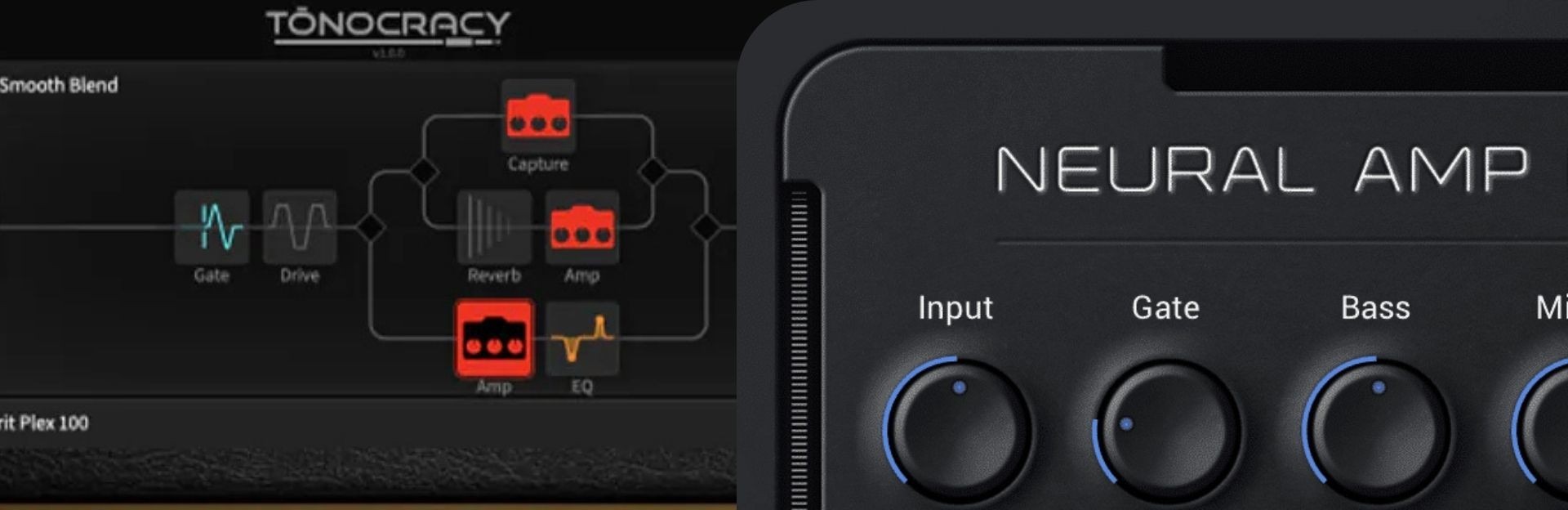
The most important thing to understand is that Tonocracy isn’t simply another version of Neural Amp Modeler. NAM is an open-source neural modelling project developed by Steven Atkinson. It uses machine learning to recreate the behavior of guitar amplifiers, distortion pedals, and other audio equipment.

Rather than relying entirely on traditional circuit-based modelling, NAM can learn how a particular piece of equipment responds to an audio signal. The resulting model can be loaded into compatible software and used for recording or playing guitar. Tonocracy, developed by Atomic Amplifiers, was designed as a broader guitar-processing platform.

It combined three approaches to guitar tone:

  • SchemAccurate: Adjustable amplifier simulations designed around the behavior of real guitar amplifiers.
  • ToneSnap: Tonocracy’s proprietary technology for capturing the sound of physical equipment.
  • NAM: Support for loading Neural Amp Modeler captures inside Tonocracy’s own signal chain.
 

This gave Tonocracy a significant advantage in versatility. You could combine different amp technologies, load cabinet impulse responses, add effects, and create complex signal chains without switching between multiple plugins.

Interestingly, NAM developer Steven Atkinson publicly welcomed Tonocracy’s integration of NAM when the software launched in October 2023. He specifically highlighted the benefit of using NAM captures inside an integrated guitar-processing environment.

However, he also clarified that Tonocracy’s ToneSnap technology was developed separately from NAM. That distinction matters when comparing the two.

Sound Quality: Is Tonocracy Better Than NAM?

For pure amp-capture playback, there isn’t an automatic winner. Both can produce realistic guitar tones, but the final sound depends heavily on the specific amplifier model, capture quality, input calibration, cabinet simulation, and effects.

Tonocracy Sound Quality

One of Tonocracy’s biggest strengths was its combination of different amplifier technologies. Its SchemAccurate collection included models inspired by well-known amplifiers such as the Marshall JCM800, EVH 5150III, Mesa Boogie Dual Rectifier, Fender Deluxe, and Vox AC30.

Unlike a basic snapshot capture, these amplifier models offered adjustable controls intended to behave more like those of the original equipment. Tonocracy also supported ToneSnap captures, allowing users to reproduce particular amplifier settings and signal chains. 

Combined with cabinet impulse responses and effects, the software provided considerable sound-shaping flexibility. However, these capabilities don’t necessarily mean Tonocracy sounds better than NAM.

Neural Amp Modeler Sound Quality

NAM focuses on accurately reproducing the response of captured equipment. A well-trained NAM model can reproduce the distinctive character of a real amplifier, including its distortion, dynamics, and response to playing intensity.

The quality varies between captures, though. A poorly prepared capture can sound less convincing than a professionally created model, regardless of which software plays it.

NAM also uses snapshot-style models, where traditional amplifier controls cannot necessarily be adjusted in the same way as on the original hardware. Some models and newer modelling approaches provide additional flexibility, but users shouldn’t assume every NAM capture behaves like a fully adjustable amplifier.

What Happens When You Load NAM Into Tonocracy?

Here’s where the comparison becomes particularly interesting. Because Tonocracy supports NAM files, it’s possible to use the same compatible NAM capture in Tonocracy and a dedicated NAM player.

In principle, both are reproducing the same underlying neural model. That means Tonocracy doesn’t automatically deliver a superior amplifier sound simply because it has a more elaborate interface.

Audible differences could still arise from input levels, model calibration, output settings, cabinet IRs, and effects or differences between playback implementations. Without a properly controlled comparison, claiming that one sounds better would be misleading.

Sound quality verdict: It’s effectively a draw when discussing the same NAM capture under matched conditions. Tonocracy’s advantage was having additional AMP technologies and effects, while NAM offers direct access to its modelling ecosystem.
Effects and Signal Routing: Tonocracy Has the Advantage

tonocracy

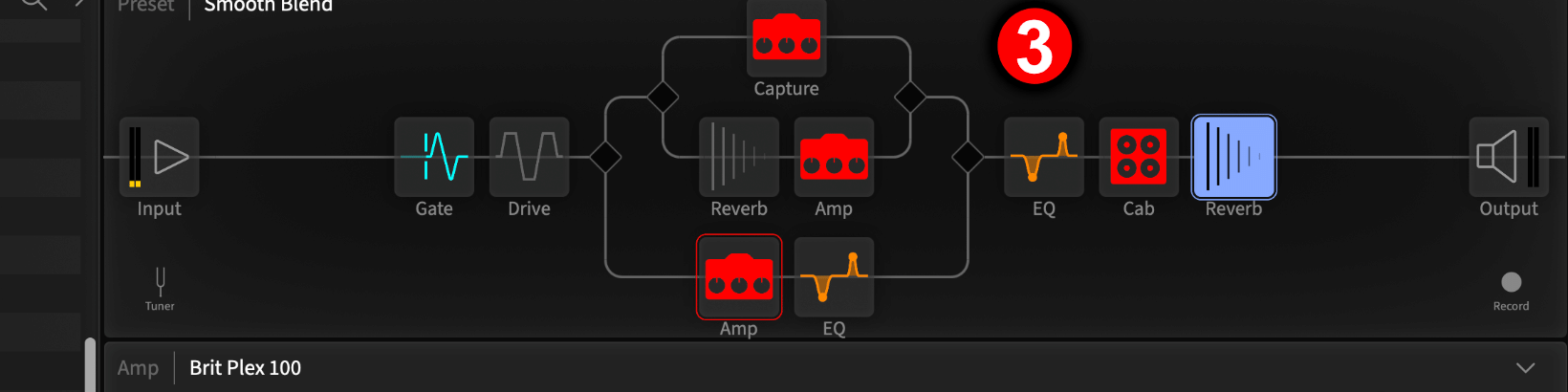
This is where Tonocracy’s original design really stands out. The software was intended to function as a complete virtual guitar rig. Alongside its amplifier modelling technology, Tonocracy offered effects including compression, overdrive, delay, and other guitar-processing tools.

More importantly, it featured flexible signal routing. Rather than restricting users to a simple pedal-to-amp-to-cabinet signal chain, Tonocracy could create parallel paths, split signals, and combine processing blocks.

For example, a guitarist could create two parallel amplifier chains, process them differently, and blend the results. That’s particularly useful for recording wide rhythm guitars, experimenting with dual-amp sounds, or building more elaborate effects.

What About NAM’s Effects?

The official Neural Amp Modeler plugin is more focused. Its primary purpose is playing NAM models, with supporting controls and cabinet IR processing rather than a large traditional pedalboard.

For many guitarists, that’s perfectly adequate. You can load NAM in your DAW, place your favorite distortion or boost plugin before it, add a cabinet IR, and finish with EQ, delay, or reverb.

However, that means building the complete rig using additional software. The distinction is becoming less significant as the NAM ecosystem develops. Third-party applications such as Soundshed Guitar and TONE3000 Plugin now provide alternative ways of using NAM captures within more sophisticated guitar-processing environments.

Effects verdict: Tonocracy wins against the basic NAM player for integrated effects and flexible routing. However, NAM-compatible guitar-rig software can offer similar functionality without depending on Tonocracy.
NAM Compatibility: Can Both Use the Same Amp Captures?

Yes, with an important compatibility consideration. Tonocracy was designed to load Neural Amp Modeler files, allowing users to take advantage of community-created amp captures.

That was one of its most appealing features. Instead of being restricted to Atomic Amplifiers’ proprietary ecosystem, users could expand Tonocracy with compatible NAM models.

However, NAM technology has continued developing. In 2026, Neural Amp Modeler introduced its newer A2 architecture, representing another step forward in how NAM models are created and processed.

Tonocracy’s compatibility with A2 models has not been verified. Its published release history doesn’t document an A2 compatibility update, so users shouldn’t assume the latest NAM captures will work inside Tonocracy.

This is particularly relevant for anyone building a new collection of amp models. NAM’s open-source ecosystem is better positioned to accommodate newer modelling formats as compatible players receive updates. For guitarists who want access to modern NAM technology, using an actively maintained, A2-compatible player is the safer choice.

CPU Performance: Which Amp Sim Is More Efficient?

CPU usage is another important consideration, particularly for guitarists recording multiple tracks or playing through an amp simulator at low buffer sizes.

Unfortunately, there isn’t enough reliable comparative benchmark data to declare a clear winner between Tonocracy and NAM.

Performance depends on several factors, including:

  • The specific neural model being loaded.
  • The number of active amplifier and effects blocks.
  • Audio sample rate and buffer size.
  • Oversampling and processing settings.
  • The computer’s processor and operating system.
 

Tonocracy’s ability to run complex signal chains also means its CPU consumption can vary considerably depending on the number of active modules. A single NAM capture with minimal processing isn’t directly comparable to a Tonocracy preset containing multiple amplifiers, cabinet IRs, and effects.

Community discussions have included complaints about Tonocracy’s processing demands, but isolated user reports aren’t a substitute for controlled testing.

Performance verdict: No confirmed winner. For accurate results, both programs would need to be tested with equivalent models, processing settings, and hardware.

Ease of Use: Which Is Better for Beginners?

test

Tonocracy originally offered a compelling workflow for guitarists who wanted an all-in-one solution. Instead of spending time assembling individual effects and cabinet plugins, users could build complete virtual rigs within a single interface.

Its visual signal routing and integrated library made it easier to manage elaborate presets.

NAM takes a simpler approach. Load a model, configure the relevant controls, select an appropriate cabinet IR and start playing. That simplicity can be an advantage for beginners who aren’t interested in complicated effects chains.

However, finding the right NAM capture can initially be overwhelming.

There are many community-created models, and beginners need to understand the difference between amp-only captures and captures that include cabinets and different input calibration requirements. For someone comfortable with DAWs and guitar plugins, neither approach is especially difficult.

Ease-of-use verdict: Tonocracy offers a more integrated workflow for complex rigs, while the official NAM player provides a simpler experience focused on amp capture playback.

Final Verdict: Which Should You Download?

Neural Amp Modeler is the winner for most guitarists in 2026.

Tonocracy was an ambitious piece of free guitar software that combined several genuinely useful technologies in one place. Its integrated effects, amplifier models, ToneSnap captures, and routing system gave it capabilities beyond those of the basic NAM player.

However, Tonocracy’s uncertain development status and reported account-service problems make it difficult to recommend as a dependable new installation. NAM, meanwhile, continues to evolve through its open-source ecosystem, with newer modelling technology and a growing selection of compatible applications.

If you already have Tonocracy installed and working, there’s no compelling reason to abandon a setup you enjoy. But if you’re choosing a free amp simulator today, NAM is the more sensible option.

And if you’re looking for something that replaces Tonocracy’s complete guitar-rig workflow, check out our guide to the best Tonocracy alternatives.

Picture of Jeffro

Jeffro

Qualified sound engineer, music producer, and DJ. Founder of Jeffro Music.