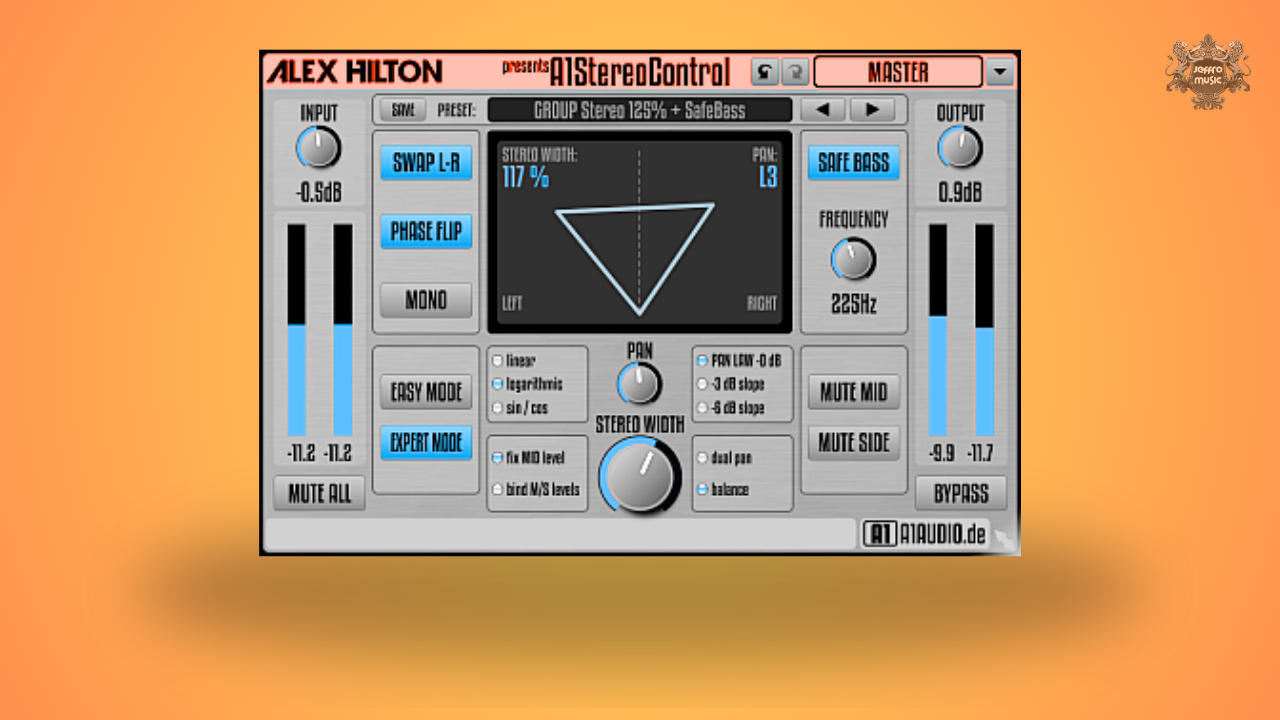
A1StereoControl by A1Audio is a free stereo imaging plugin that lets you expand or narrow stereo width with a single knob, while intelligently protecting your low end from phase issues.
Built with linear phase processing, zero latency and mastering-safe design, it’s equally at home on individual tracks, buses or the master channel.
If you want width without wrecking mono compatibility, this is a serious free tool.
Stereo widening can easily introduce phase cancellation, especially when pushed beyond 100%. A1StereoControl uses linear phase processing, which preserves phase relationships and avoids the smearing that can occur with lesser widening tools.
You can adjust stereo wideness from:
For engineers who are cautious about mono translation, this linear phase architecture is a major trust factor.
Low-frequency stereo content is one of the biggest causes of weak translation on club systems, vinyl and streaming playback.
The integrated Safe Bass algorithm automatically centers all frequencies below an adjustable crossover point back into mono. This gives you:
This technique mirrors classic elliptical EQ and M/S mastering workflows, but makes it accessible with one switch and a frequency control.
For mastering engineers, this alone makes A1StereoControl worth keeping installed.
Beyond width control, A1StereoControl includes an Expert Mode for advanced stereo placement.
You get:
This is especially useful for:
Instead of simply “balancing” a signal, you can precisely reposition the stereo image inside the field.
The Essential “Safe” Stereo Expander.
Yes. Its linear phase design and Safe Bass function make it suitable for mastering-level stereo adjustments while maintaining mono integrity in the low end.
Extreme widening can always introduce phase artifacts. However, the linear phase architecture helps maintain cleaner phase relationships compared to many widening tools.
Balance reduces one side. Dual Panning repositions both channels independently, making it ideal for correcting uneven stereo recordings.
No. A1StereoControl works only on stereo tracks.
Expert Mode unlocks advanced panning laws and curves (linear, logarithmic, sin/cos), giving you the same level of control over your stereo image that you would find in high-end console-style panning plugins.
A "Safe Bass" approach is frequency-dependent. You define the crossover point (e.g., 100Hz), and only the content below that point is collapsed to mono. The rest of your signal stays wide and spacious, giving you the best of both worlds: a punchy, solid center and a wide, immersive top end.