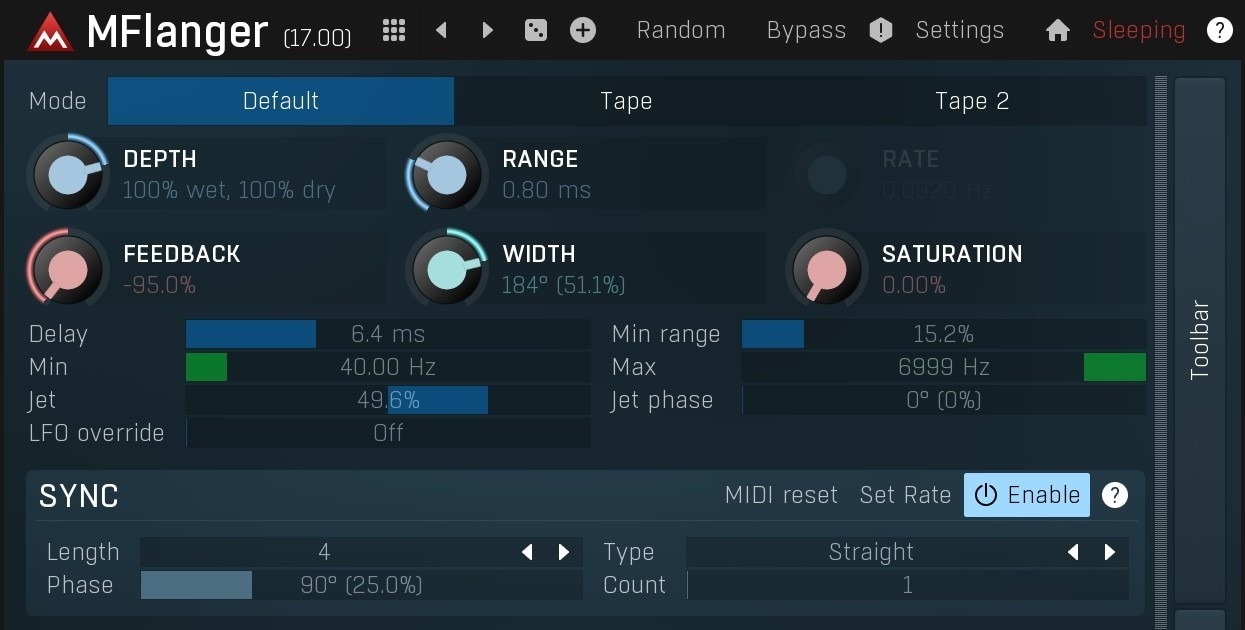
MFlanger is MeldaProduction’s take on flanging that goes way beyond a single LFO and a feedback knob.
It can absolutely do the expected 70s tape-style sweep, but the bigger story is control: oscillator shaping, channel modes, safety tools, and quality options that let you push extremes without the usual level jumps and aliasing artifacts that show up when you start adding saturation and feedback.
At the core, MFlanger offers multiple ways to generate the flange effect. The default behavior mixes a variably delayed signal with the original, while the Tape modes lean into through-null style flanging, where the dry path is also delayed to recreate the classic two-tape technique.
That difference matters in real sessions because through-null behavior changes how the notches travel and how dramatic the “zero point” feels when the sweep crosses it.
You get detailed control over Range (the delay line depth), Rate (free-running or host-synced), Feedback (including negative values for alternate comb shapes), plus Width for stereo phase offset.
There are also Min range and Min/Max frequency limits that help you keep the whistle and high-end jet scream under control when feedback gets heavy, which is exactly where many flangers become hard to manage in a mix.
The modulation side is where MFlanger feels like a producer tool rather than a simple effect. Melda’s oscillator system supports predefined shapes, custom waveforms, and step-sequenced style movement, and it can sync to host tempo when you want rhythmic sweeps rather than free drift. That means you can build flanging that grooves with a drum loop, locks to hats, or sweeps in musical divisions for synth riffs.
Then there’s integrated tube saturation, which can add harmonics and thickness to the wet path so the flange does not disappear in a dense mix.
If you are driving feedback, this is useful because it can keep the movement audible without needing to overdo depth.
Melda also includes automatic gain compensation and a safety limiter in the feature set, which is practical when you are sound designing and jumping between presets or randomization states. Finally, channel handling is a big deal for post work and modern stereo design.
MFlanger supports standard mono and stereo, mid/side workflows, and more advanced multichannel configurations depending on host and setup, which makes it usable outside typical music inserts.
A no-nonsense stereo flanger with asymmetric feedback and a distinctly musical edge.
Tape modes delay the input path as part of the process, recreating through-null style flanging. In practice, the sweep can feel more dramatic around the null point and the phase interaction behaves differently than a basic wet plus dry mix.
Lower Range, controlled Feedback, and using Min range plus Min/Max frequency limits will usually keep the top-end resonance from taking over. This is especially useful on buses where cymbals and sibilance can trigger aggressive comb peaks.
Negative feedback flips the comb response and can shift the perceived movement, often sounding hollow in a different way than positive feedback. It can be a cleaner option for widening on pads and keys where positive feedback adds too much bite.
Use moderate Width, keep Range tight, and limit the sweep frequency range so the modulation is not constantly dragging the sub fundamentals around. If you want stereo interest, focus the movement higher and keep the lows more stable.
Yes. Saturation plus feedback can compound quickly. Automatic gain compensation and the safety limiter help, but you still get the best results by setting the input level sensibly and using Depth and Mix deliberately rather than pushing everything to extremes.